Hashtag

#KDE

148 posts tagged with this hashtag.

@begasus@mastodon-belgium.be

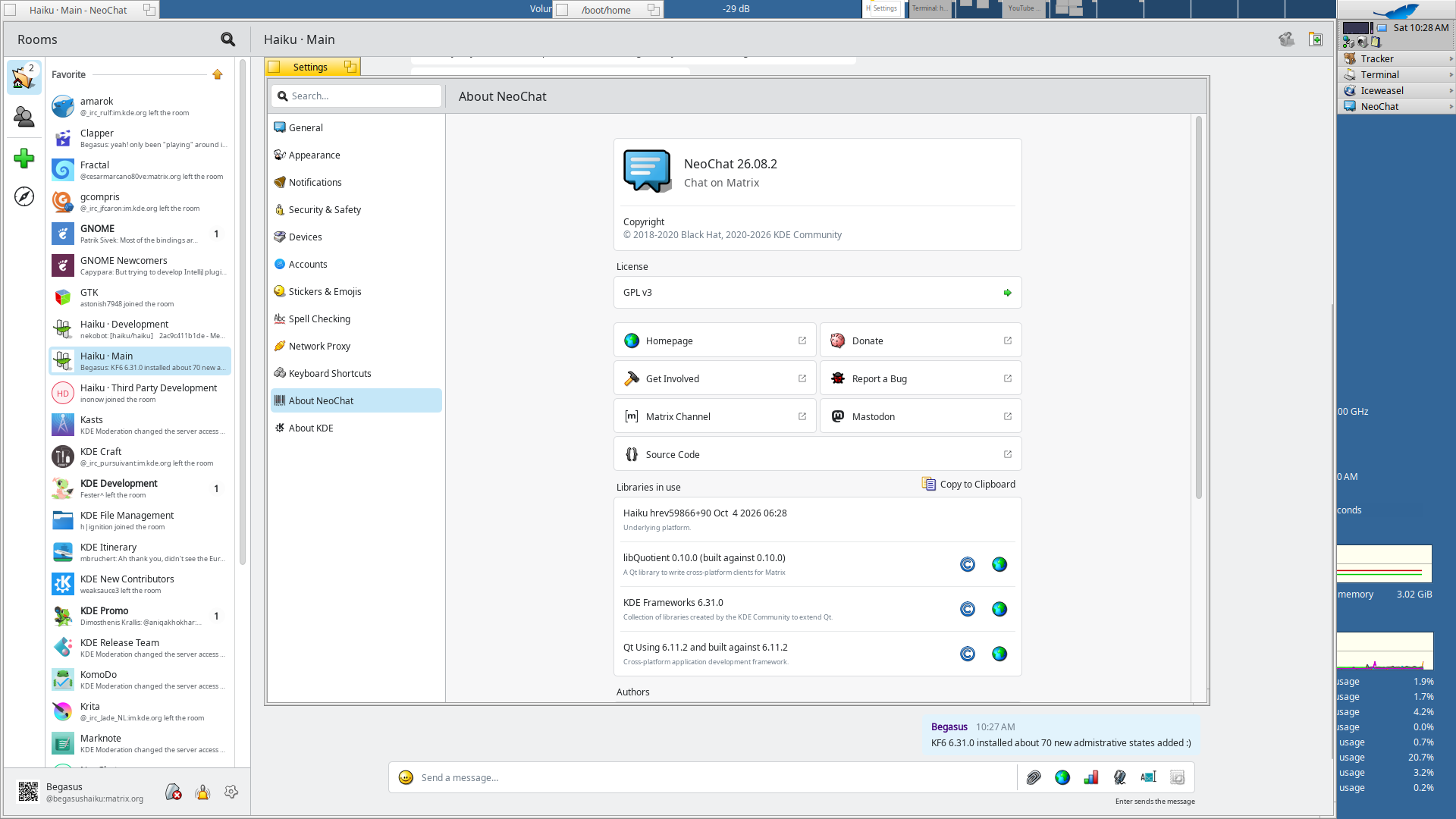
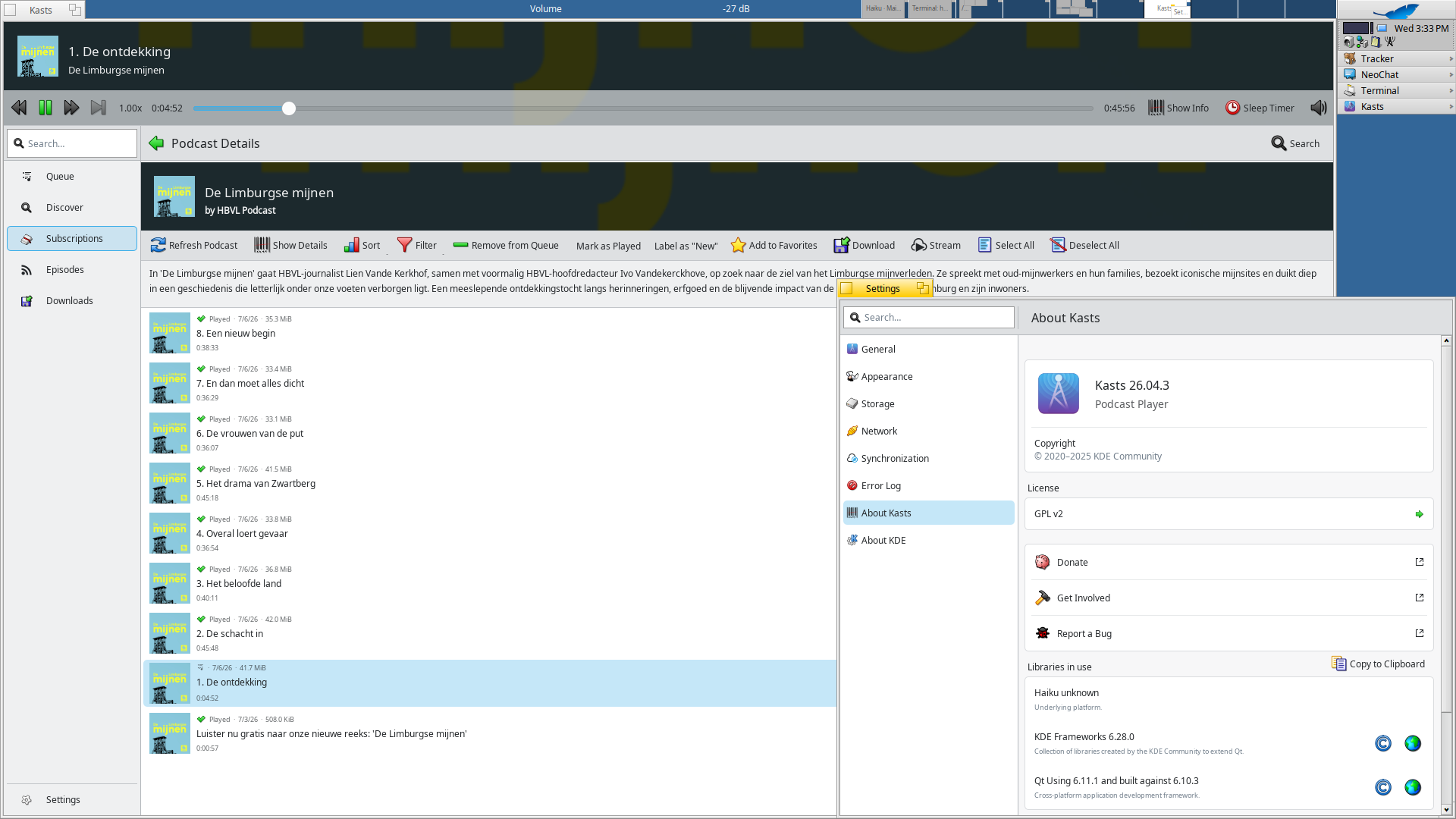
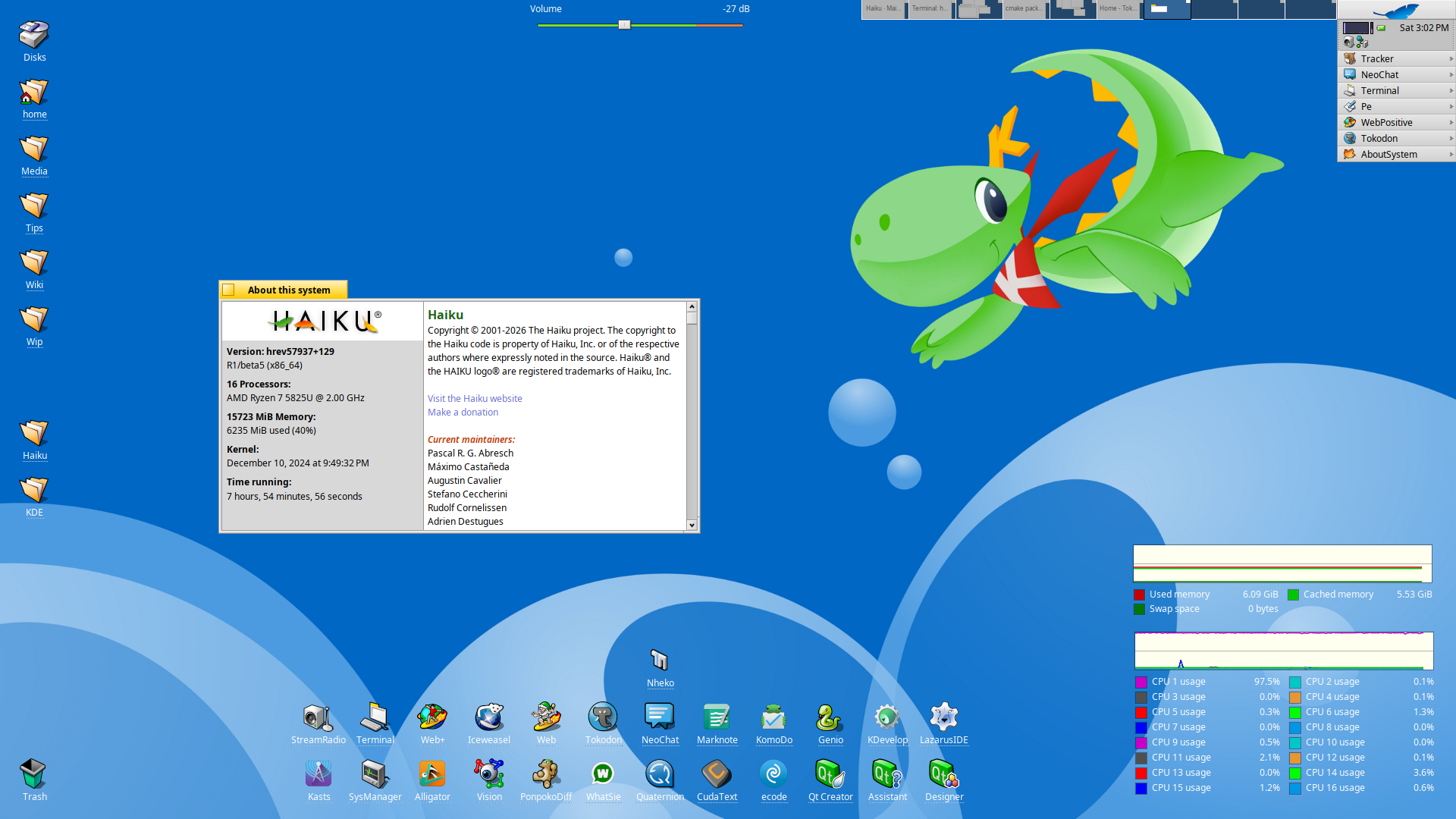
Still keeping up on updating KDE applications (while updating the frameworks and gear on par) here.
Latest addition released for Haiku:

haiku-os.org/

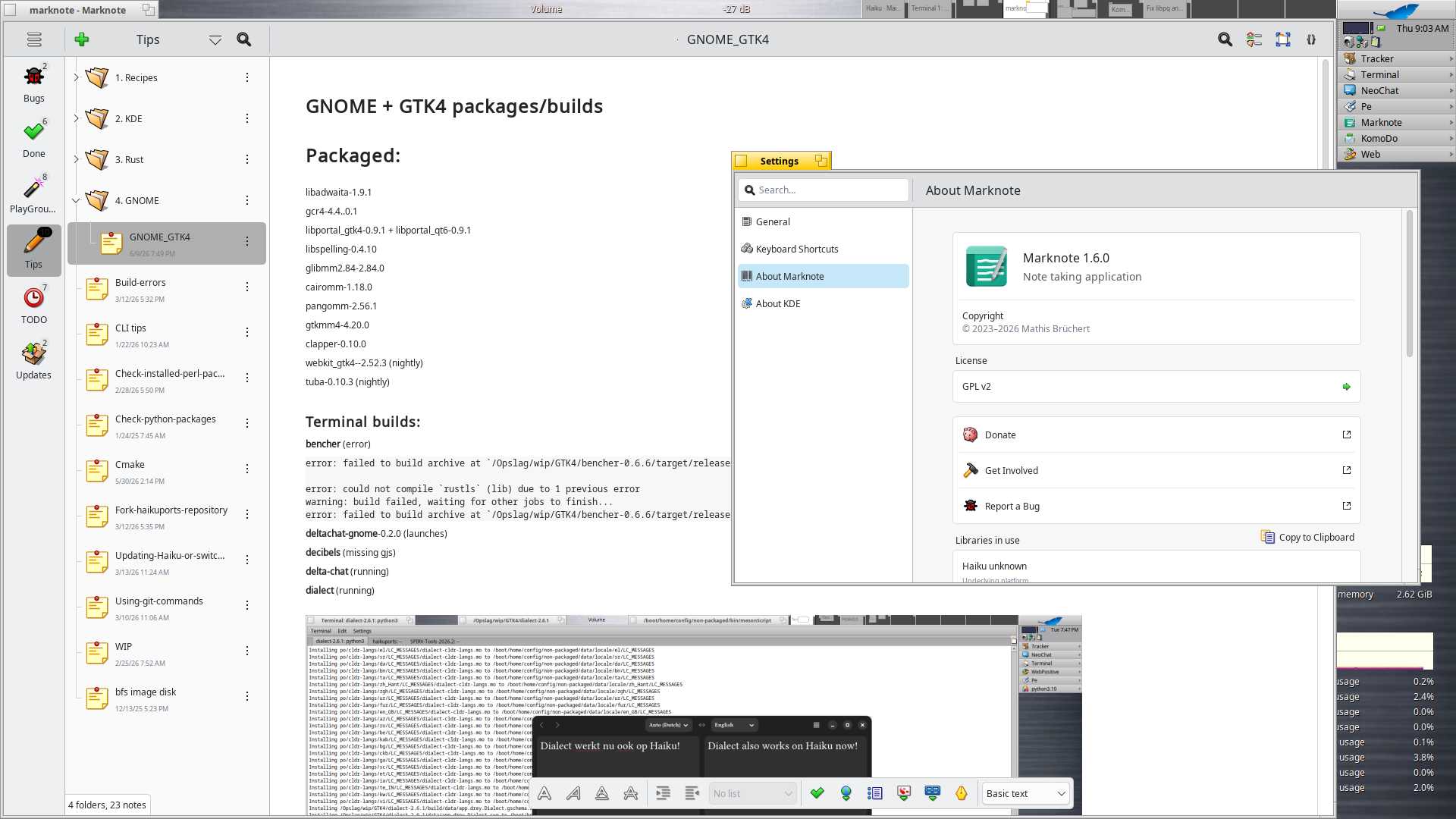
Marknote 1.6.0 (brings some neat new features)

carlschwan.eu/2026/05/30/markn

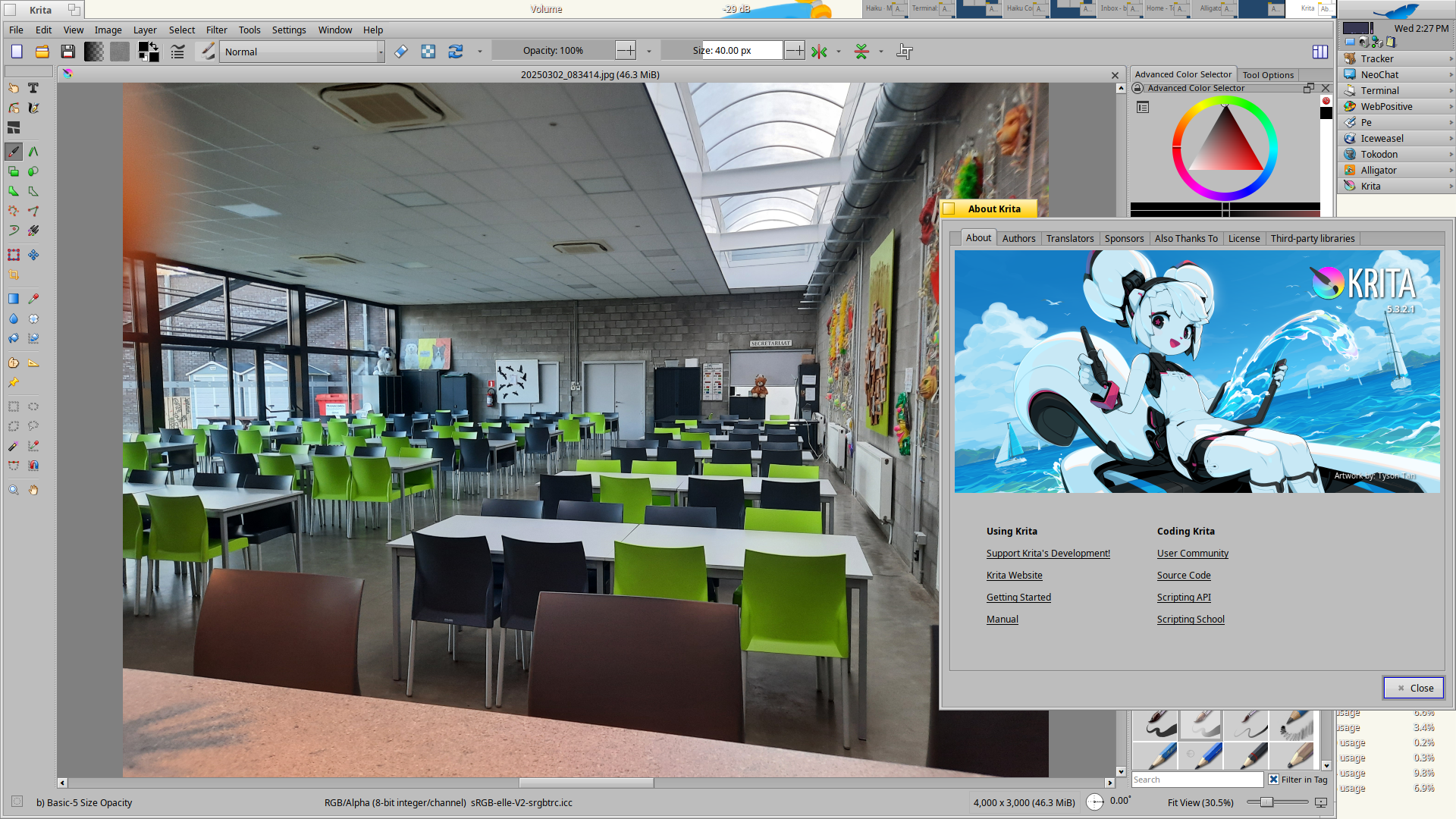
Krita 5.3.2.1

krita.org/en/posts/2026/krita-

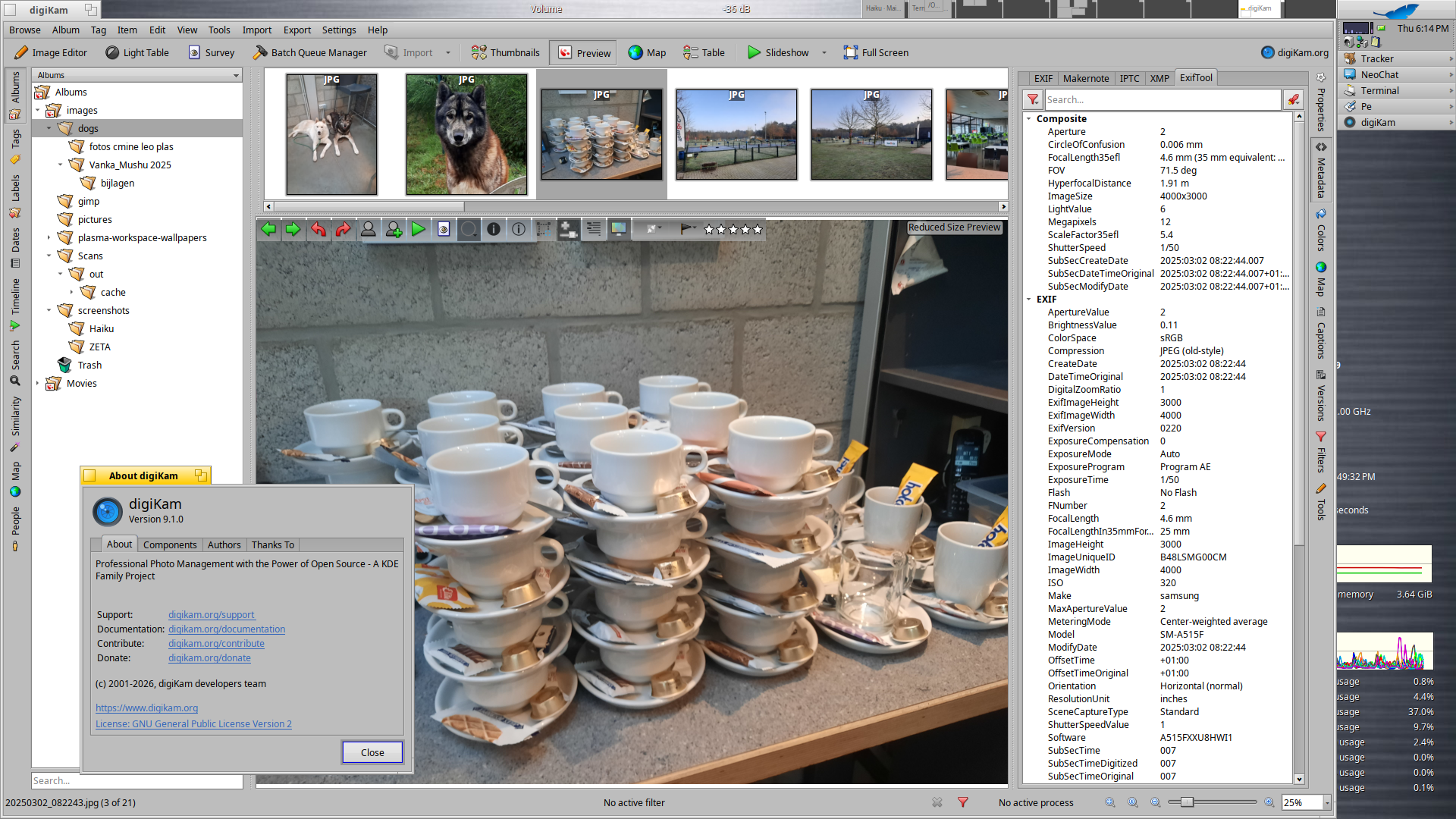
digiKam 9.1.0 (64bit only)

digikam.org/news/2026-06-07-9.

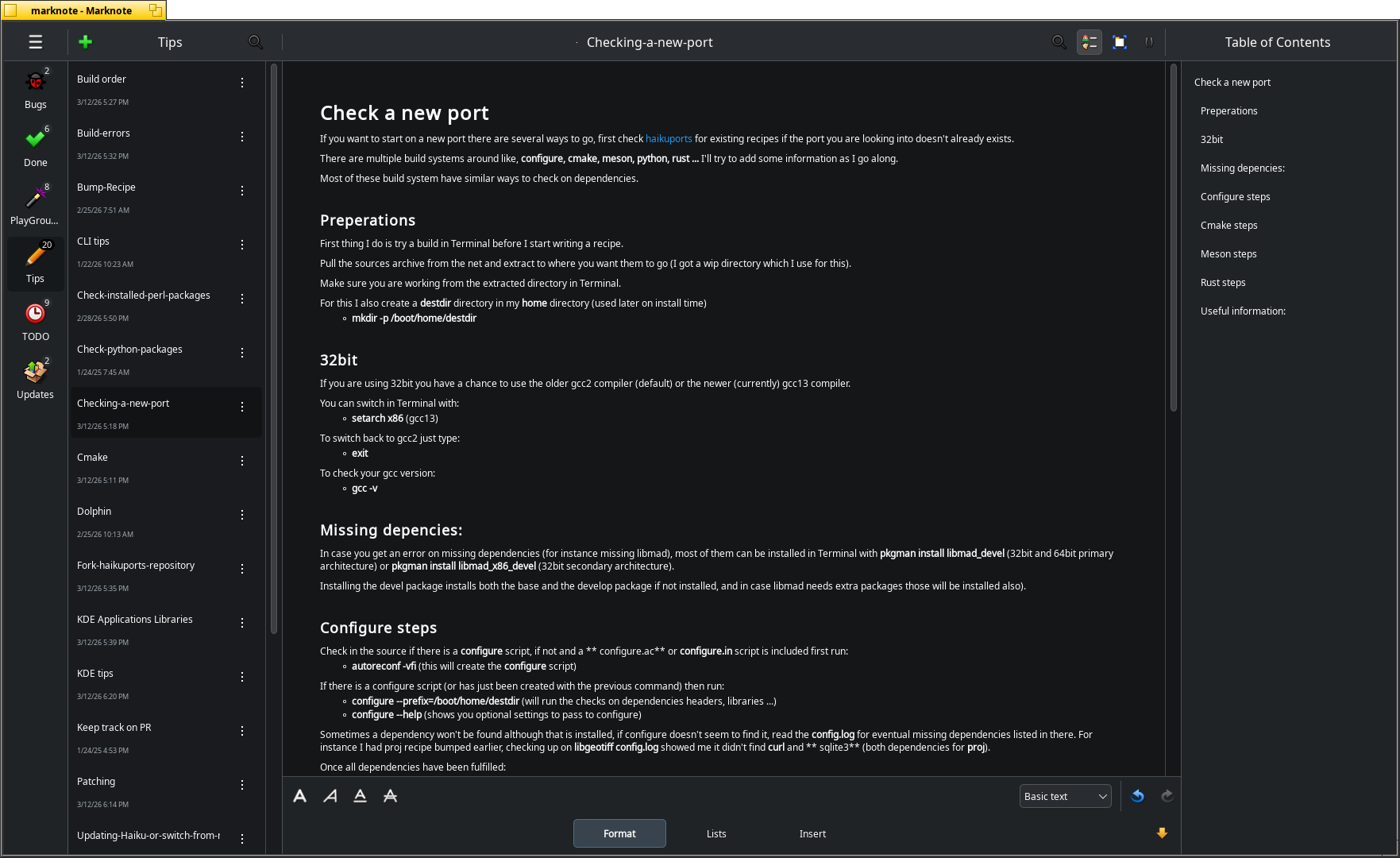
Marknote 1.6.0 on Haiku. Now supporting sub categories (first create them on disk)!
ALT text

Marknote 1.6.0 on Haiku. Now supporting sub categories (first create them on disk)!

Krita 5.3.2.1 running on Haiku.
ALT text

Krita 5.3.2.1 running on Haiku.

digeKam 9.1.0 running on Haiku (64bit only).
ALT text

digeKam 9.1.0 running on Haiku (64bit only).

@begasus@mastodon-belgium.be

Still keeping up on updating KDE applications (while updating the frameworks and gear on par) here.
Latest addition released for Haiku:

haiku-os.org/

Marknote 1.6.0 (brings some neat new features)

carlschwan.eu/2026/05/30/markn

Krita 5.3.2.1

krita.org/en/posts/2026/krita-

digiKam 9.1.0 (64bit only)

digikam.org/news/2026-06-07-9.

Marknote 1.6.0 on Haiku. Now supporting sub categories (first create them on disk)!
ALT text

Marknote 1.6.0 on Haiku. Now supporting sub categories (first create them on disk)!

Krita 5.3.2.1 running on Haiku.
ALT text

Krita 5.3.2.1 running on Haiku.

digeKam 9.1.0 running on Haiku (64bit only).
ALT text

digeKam 9.1.0 running on Haiku (64bit only).

@PurpleJillybeans@kind.social

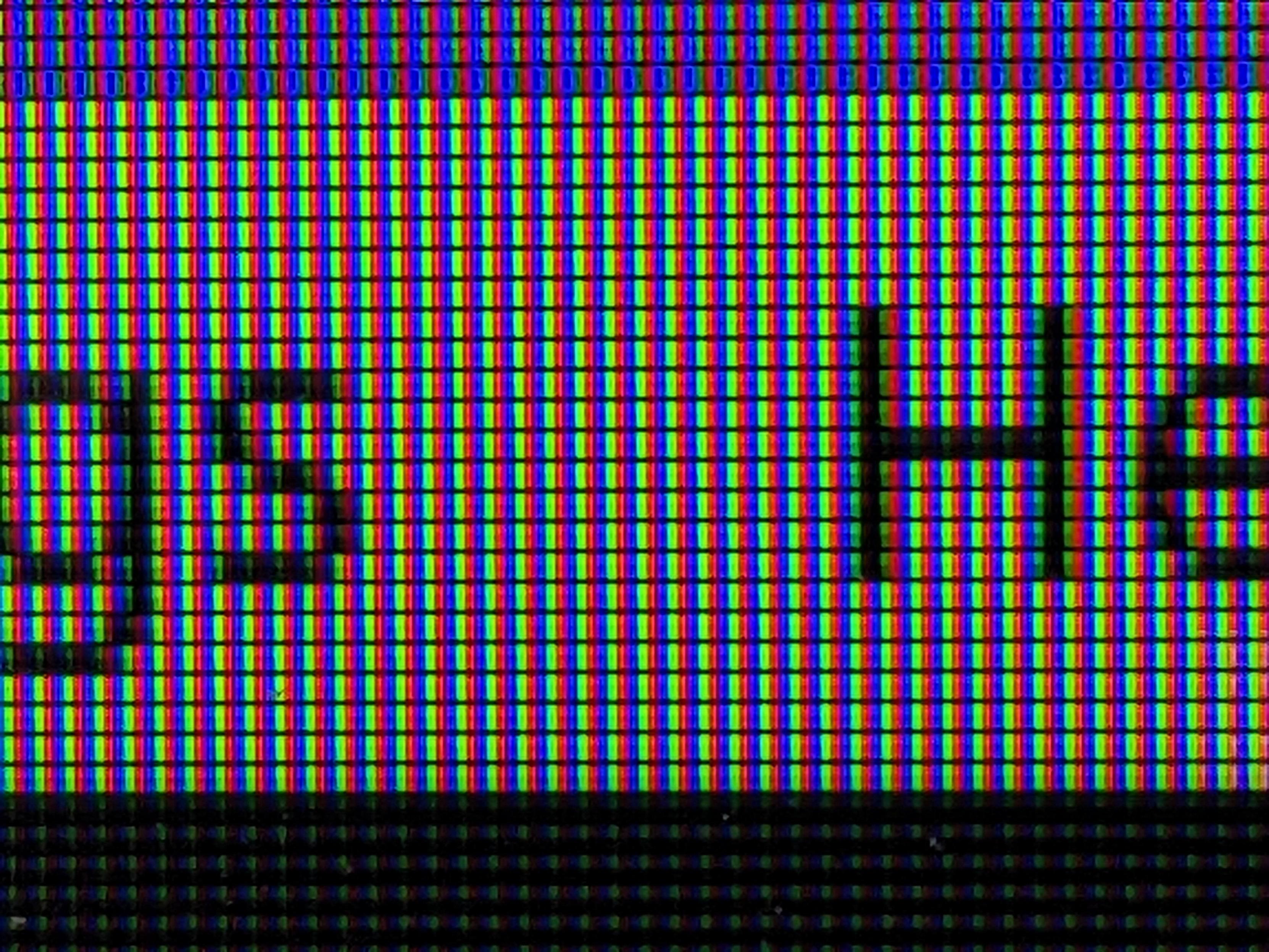
I'm using a cheap 23" TV as a monitor. Works nicely, but it has one peculiar quirk: the pixels are backwards! Most monitors follow an RGB pattern, but this one is BGR.

Under , you can compensate for this by going to System Settings > Text & Fonts > Fonts and setting sub-pixel rendering to BGR.

Close shot of an LCD monitor, zoomed in so that the individual sub-pixels are visible. They are arranged in a blue-green-red pattern.
ALT text

Close shot of an LCD monitor, zoomed in so that the individual sub-pixels are visible. They are arranged in a blue-green-red pattern.

@PurpleJillybeans@kind.social

I'm using a cheap 23" TV as a monitor. Works nicely, but it has one peculiar quirk: the pixels are backwards! Most monitors follow an RGB pattern, but this one is BGR.

Under , you can compensate for this by going to System Settings > Text & Fonts > Fonts and setting sub-pixel rendering to BGR.

Close shot of an LCD monitor, zoomed in so that the individual sub-pixels are visible. They are arranged in a blue-green-red pattern.
ALT text

Close shot of an LCD monitor, zoomed in so that the individual sub-pixels are visible. They are arranged in a blue-green-red pattern.

@aks@scalie.zone

owo whats this

To be crystal clear, the QtQuick side is now in rather good shape, we just need people to test it out and hunt down all the bugs, especially the weird edge cases! QtWidget side is still very much work in progress, though some buttons have some Union compatibility.

Anyway, hope people will have fun testing things out. I will likely write a blogpost about how to tinker with it when I'm not so swamped with beta bug hunting.

KDE Linux in a virtual machine (or bare metal if you're adventurous) is good way to test out the beta.

See also: kde.org/announcements/plasma/6

edit:

And if things fail, you can change back to Breeze. Changing between Breeze and Union will need you to restart the app and/or even whole PC. Depends. Uh. Beta software!! :)

Screenshot of application style selection with Union (In Development) version enabled.
ALT text

Screenshot of application style selection with Union (In Development) version enabled.

@aks@scalie.zone

owo whats this

To be crystal clear, the QtQuick side is now in rather good shape, we just need people to test it out and hunt down all the bugs, especially the weird edge cases! QtWidget side is still very much work in progress, though some buttons have some Union compatibility.

Anyway, hope people will have fun testing things out. I will likely write a blogpost about how to tinker with it when I'm not so swamped with beta bug hunting.

KDE Linux in a virtual machine (or bare metal if you're adventurous) is good way to test out the beta.

See also: kde.org/announcements/plasma/6

edit:

And if things fail, you can change back to Breeze. Changing between Breeze and Union will need you to restart the app and/or even whole PC. Depends. Uh. Beta software!! :)

Screenshot of application style selection with Union (In Development) version enabled.
ALT text

Screenshot of application style selection with Union (In Development) version enabled.

@josemachete79@mastodon.social · Reply to KDE

@kde got to learn about kdevelop ide while looking to get away from vs, and I'm so mad at you :/ ...with kdevelop i am enjoying coding so fckn much that I cannot get away from my laptop. I should mention you guys in the readme.txt in my roguelike variant.
Seriously now, thank you very much. love !

@thesaigoneer@social.linux.pizza
@OtakuEmily@fosstodon.org

Decided to restyle my installation running ! <3

A KDE Plasma desktop environment with a rainy animated background of Hatsune Miku looking up at the sky, at the top of the screen is a MacOS-style 'Menu Bar' with tasks icons and a widget displaying an album cover inline with text saying "Anamanaguchi - Miku", the widget is partially filled to convey the progress of the song, on the bottom left is a terminal displaying a Neofetch-style information dump with a picture of Hatsune Miku for its distribution logo, centred at the bottom of the screen is a MacOS-style dock with File Explorer, Vivaldi Browser, Zed Editor, and Ghostly inside it, all applications are closed except for Ghostty.

Terminal Window Content
```
emily@miku
𓆩♡𓆪
OS: CachyOS x86_64
Host: ThinkPad L13 Yoga
Kernel: Linux 7.0.9-1-cachyos
Uptime: 1 hour, 8 mins
Shell: fish 4.7.1
Display: 1920x1080 @ 60Hz
DE: KDE Plasma 6.6.5
Terminal: ghostty
CPU: Intel(R) Core(TM) i5-10210U (8) @ 4.20 GHz
Memory: 5.96 GiB / 15.33 GiB (39%)
Swap: 0 B / 15.33 GiB (0%)
Disk (/): 143.85 GiB / 476.41 GiB (30%)
Local IP: 192.168.1.113/24
Battery: 100% [AC Connected]
```
ALT text

A KDE Plasma desktop environment with a rainy animated background of Hatsune Miku looking up at the sky, at the top of the screen is a MacOS-style 'Menu Bar' with tasks icons and a widget displaying an album cover inline with text saying "Anamanaguchi - Miku", the widget is partially filled to convey the progress of the song, on the bottom left is a terminal displaying a Neofetch-style information dump with a picture of Hatsune Miku for its distribution logo, centred at the bottom of the screen is a MacOS-style dock with File Explorer, Vivaldi Browser, Zed Editor, and Ghostly inside it, all applications are closed except for Ghostty. Terminal Window Content ``` emily@miku 𓆩♡𓆪 OS: CachyOS x86_64 Host: ThinkPad L13 Yoga Kernel: Linux 7.0.9-1-cachyos Uptime: 1 hour, 8 mins Shell: fish 4.7.1 Display: 1920x1080 @ 60Hz DE: KDE Plasma 6.6.5 Terminal: ghostty CPU: Intel(R) Core(TM) i5-10210U (8) @ 4.20 GHz Memory: 5.96 GiB / 15.33 GiB (39%) Swap: 0 B / 15.33 GiB (0%) Disk (/): 143.85 GiB / 476.41 GiB (30%) Local IP: 192.168.1.113/24 Battery: 100% [AC Connected] ```

@herzenschein@furry.engineer

I'm streaming KDE docs:

I'm streaming to both Owncast and Twitch right now.

Today I'll continue working on updating plasmoid development docs.

Be sure to join and ask any questions related to KDE and I'll try my best to answer them.

Every single stream I do is an Ask Me Anything KDE Edition ™️

@kde

twitch.tv

Herzenschein - Twitch

KDE bnnuy checking out Plasma Widgets development 🐰

@herzenschein@furry.engineer

I'm streaming KDE docs:

I'm streaming to both Owncast and Twitch right now.

Today I'll continue working on updating plasmoid development docs.

Be sure to join and ask any questions related to KDE and I'll try my best to answer them.

Every single stream I do is an Ask Me Anything KDE Edition ™️

@kde

twitch.tv

Herzenschein - Twitch

KDE bnnuy checking out Plasma Widgets development 🐰

@luelista@chaos.social

folks! is there a way to setup a KDE panel so it autohides (or is completely hidden), but is visible as long as a modifier key (super) is pressed (like sway-bar with `mode hide` set)?

Setting the panel to autohide, and the custom shortcut for "Move keyboard focus between panels" to "Meta" is almost what I want: that toggles the panel when the super key is *released* - I want it to show when it's *pressed* (and ideally hide when it''s released, but that's less important to me).

:BoostOK:

My current workaround:
KDE Shortcut settings dialog,
the custom shortcut for "Move keyboard focus between panels" is configured to "Meta"
ALT text

My current workaround: KDE Shortcut settings dialog, the custom shortcut for "Move keyboard focus between panels" is configured to "Meta"

@leniwcowaty@fosstodon.org

Where should I file a suggestion for change in KDE Discover?

Based on talks with new Linux users, many of them are confused when they open "Software Center" and are met with multiple "sources" for a single application - from repos, Flatpak, Snap.
I think Discover should include a small ? icon next to the source selector, explaining what specific format is, what are the pros and cons (eg. "This is repo package, it may be outdated if you're using an LTS release").

@seabass@social.seabass.systems

Google claim that their upcoming laptop is the "perfect partner to your Android phone" because you can "access files from your phone as if they live on your laptop" - but did you know that this is already possible, no special laptop model needed?

KDE Connect is completely free and open source software (FOSS) to link your devices together, supported by the @kde charity. It works on almost all phone models, and it does more than just allow you to access your phone's storage. For example, with KDE Connect your phone immediately becomes a remote control for music or videos playing on your laptop or desktop PC!

Don't get drawn in by the slick marketing - you don't need AI to make your life easier with technology, and most of the features large software companies such as Google are promoting have already been thoughtfully implemented by dedicated volunteers in the FOSS community.

#kdeconnect #kde #foss

community.kde.org

KDE Connect

KDE Connect: A project that enables all your devices to communicate with each other.

@tobozo@mastodon.social

A story of editor from :

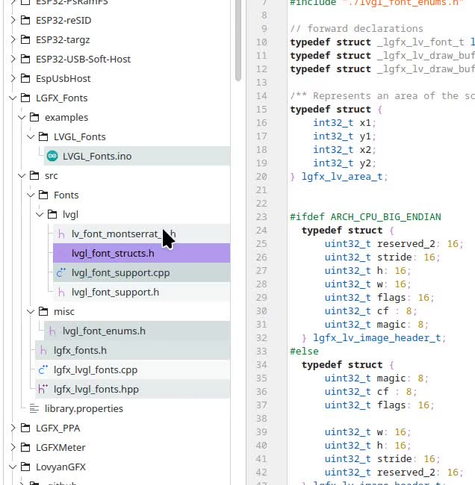
Moving a file by *renaming* (e.g. from blah.txt to subfolder/blah.txt) spares the time it takes to close the file in the editor, then manually move it, then reopen in the editor.

However Kate's document selector recently (april 2026) forgot what a POSIX path is and seems to believe that ".." is a valid folder name, and happily renders two impossible parent folders 🤡

Capture of KDE Kate editor exhibiting a shameful bug, where an attempt to move a file "lvg_font_structs.h" to a distant folder by renaming it "../../misc/lvg_font_structs.h" ends up in having Kate misdrawing the tree with two ".." parent folders, apparently ignoring how a relative path is resolved.
ALT text

Capture of KDE Kate editor exhibiting a shameful bug, where an attempt to move a file "lvg_font_structs.h" to a distant folder by renaming it "../../misc/lvg_font_structs.h" ends up in having Kate misdrawing the tree with two ".." parent folders, apparently ignoring how a relative path is resolved.

@alien@fosstodon.org

KDE 6_26.04 for Slackware-current (almost free of Qt5)

To be honest, I was waiting for a move from Pat. But I got restless, Pat is otherwise occupied for a few days so I took the plunge. What I am talking about is of course packaging KDE Gear 26.04.0 for Slackware. The latest release of Applications and KDEPIM is nicknamed the "KDE at 30" edition because KDE is around for 30 years already (!).

blog.slackware.nl/kde-6_26-04-

@alien@fosstodon.org

KDE 6_26.04 for Slackware-current (almost free of Qt5)

To be honest, I was waiting for a move from Pat. But I got restless, Pat is otherwise occupied for a few days so I took the plunge. What I am talking about is of course packaging KDE Gear 26.04.0 for Slackware. The latest release of Applications and KDEPIM is nicknamed the "KDE at 30" edition because KDE is around for 30 years already (!).

blog.slackware.nl/kde-6_26-04-

@fedora@fosstodon.org · Reply to Fedora Project

Our two desktop editions bring some big updates with Fedora 44!

Fedora KDE Plasma Desktop Edition brings you Plasma 6.6, more Plasma integration in a new install, and joins the Fedora Ready program for hardware support starting with @starlabssystems!
fedoramagazine.org/whats-new-i

Fedora Workstation Edition brings with it GNOME 50, parental controls, and general ecosystem improvements.
fedoramagazine.org/whats-new-f

fedoramagazine.org

What's New in Fedora Workstation 44 - Fedora Magazine

Summary of new features or changes in Fedora Workstation 44

@fedora@fosstodon.org · Reply to Fedora Project

Our two desktop editions bring some big updates with Fedora 44!

Fedora KDE Plasma Desktop Edition brings you Plasma 6.6, more Plasma integration in a new install, and joins the Fedora Ready program for hardware support starting with @starlabssystems!
fedoramagazine.org/whats-new-i

Fedora Workstation Edition brings with it GNOME 50, parental controls, and general ecosystem improvements.
fedoramagazine.org/whats-new-f

fedoramagazine.org

What's New in Fedora Workstation 44 - Fedora Magazine

Summary of new features or changes in Fedora Workstation 44

@fedora@fosstodon.org
@IceWolf@masto.brightfur.net

Why am I even bothering to go digging to fix a bug. Even if we fix it and come up with a patch, we can't use KDE's git system because they enforce Firstname Lastname ON YOUR GIT COMMITS >,,<

and I don't really want to contribute to a project that's /that obsessed/ with Firstname Lastname

I want to make KDE better but ye gods. Have some respect.

@begasus@mastodon-belgium.be

KDE's gear26 (26.04.0) now also released for the Haiku people, a few applications are still a wip but should be online in the near future. Thanks upstream on the update!
In total 120 updated recipes have been involved including libraries and applications.

For a list of new features, look up at:

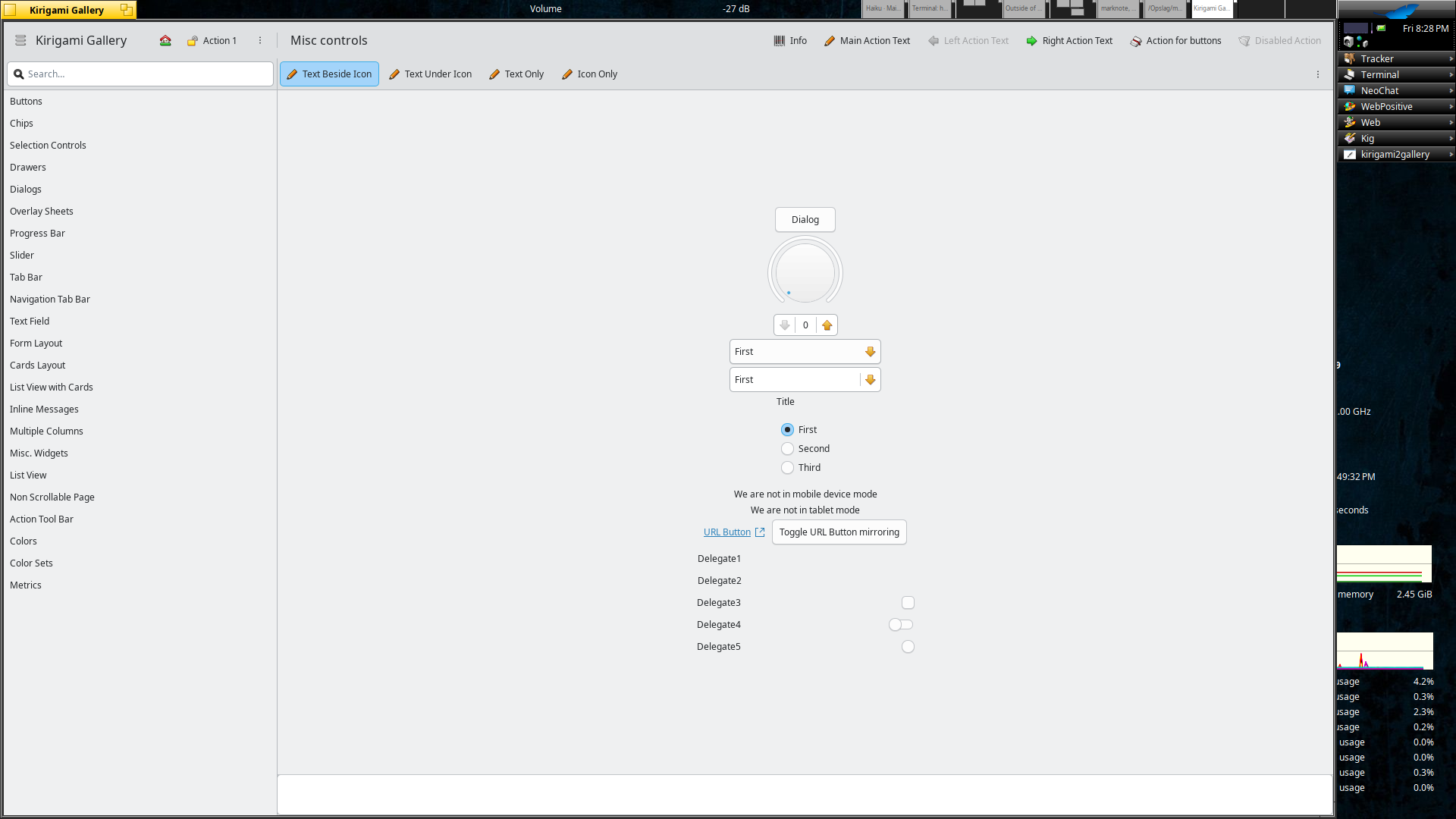
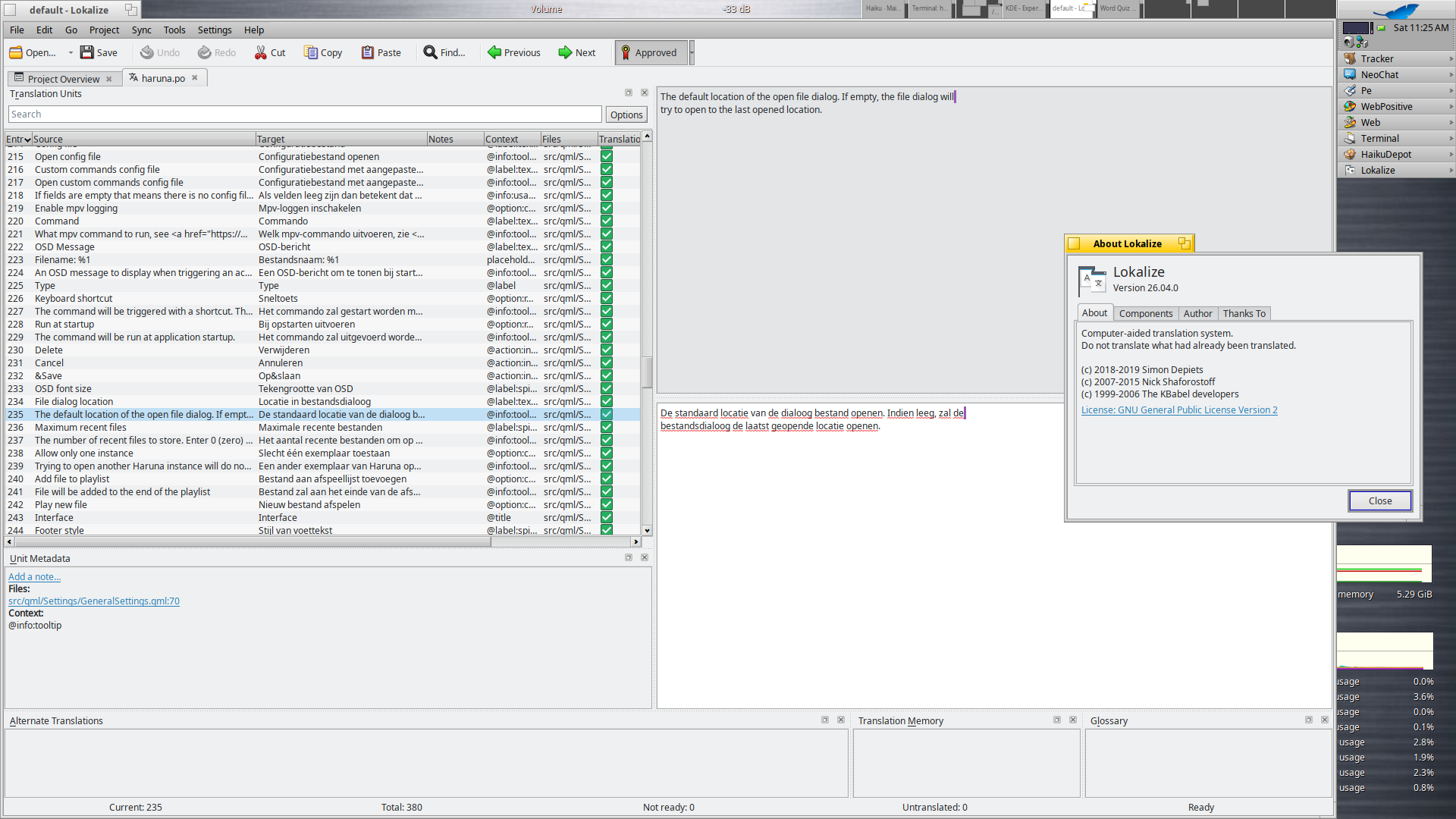
New are Kirigami Gallery (with qqc2_breeze_style) and Lokalize.

kde.org/announcements/gear/26.

Kirigami Gallery with qqc2_breeze_style 26.04.0 on Haiku R1B5.
ALT text

Kirigami Gallery with qqc2_breeze_style 26.04.0 on Haiku R1B5.

Lokalize 26.04.0 on Haiku R1B5.
ALT text

Lokalize 26.04.0 on Haiku R1B5.

@begasus@mastodon-belgium.be

KDE's gear26 (26.04.0) now also released for the Haiku people, a few applications are still a wip but should be online in the near future. Thanks upstream on the update!
In total 120 updated recipes have been involved including libraries and applications.

For a list of new features, look up at:

New are Kirigami Gallery (with qqc2_breeze_style) and Lokalize.

kde.org/announcements/gear/26.

Kirigami Gallery with qqc2_breeze_style 26.04.0 on Haiku R1B5.
ALT text

Kirigami Gallery with qqc2_breeze_style 26.04.0 on Haiku R1B5.

Lokalize 26.04.0 on Haiku R1B5.
ALT text

Lokalize 26.04.0 on Haiku R1B5.

@begasus@mastodon-belgium.be

After the update on Qt (6.1.03) for Haiku finished it was time to update our KF6 to 6.25.0.
Those are now available for 32bit and 64bit.

kde.org/announcements/framewor

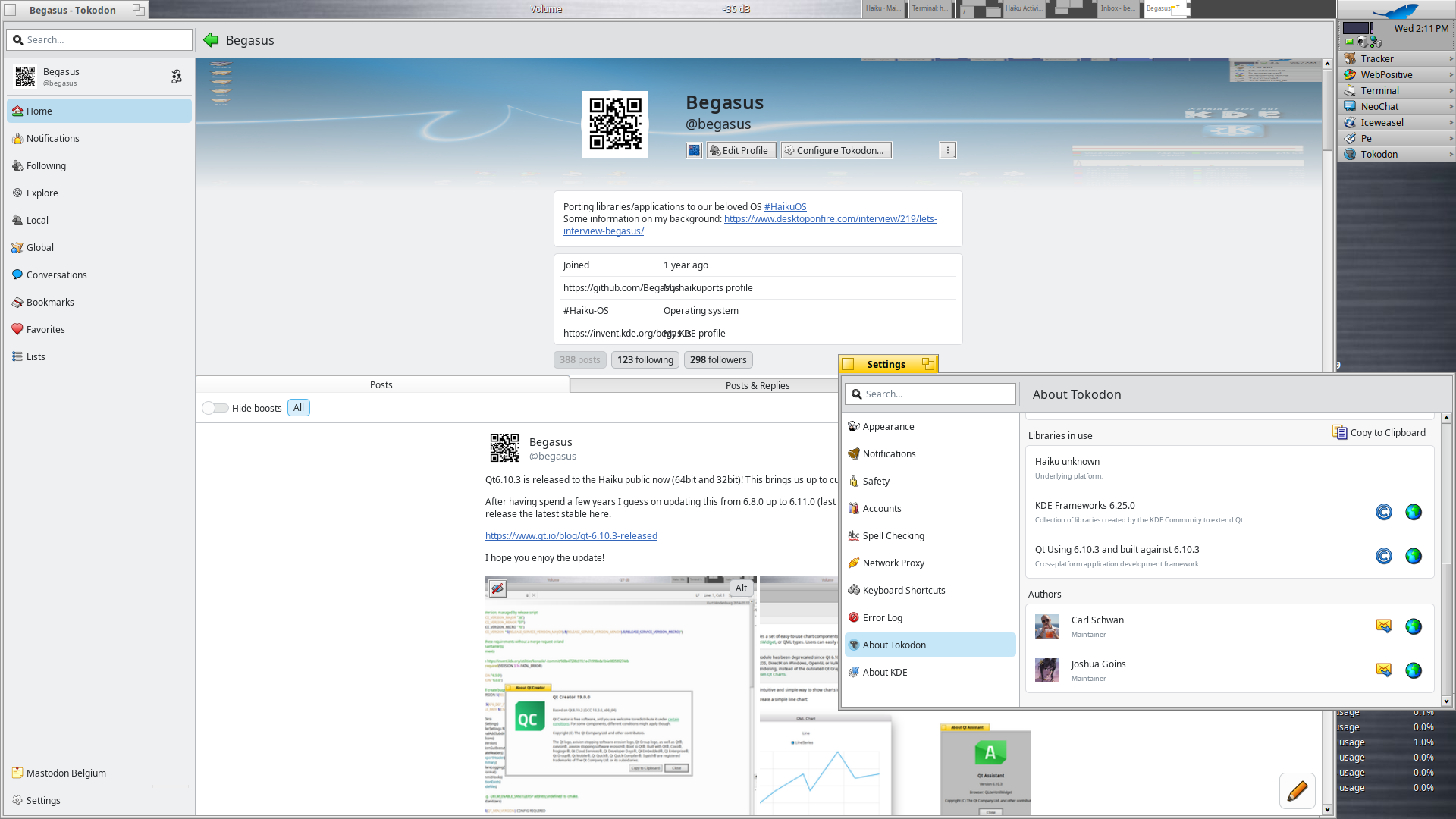
A few applications there after updated to 25.12.3 (read kirigami/qtquick related rendering), and are on par with current release. In the screenshot Tokodon (using at the moment to write this post) 25.12.3 with Qt6.10.3 and KF6 6.25.0).

Tokodon 25.12.3 build with Qt6.10.3 and KF6 6.25.0 running on Haiku R1B5 64bit.
ALT text

Tokodon 25.12.3 build with Qt6.10.3 and KF6 6.25.0 running on Haiku R1B5 64bit.

@begasus@mastodon-belgium.be

After the update on Qt (6.1.03) for Haiku finished it was time to update our KF6 to 6.25.0.
Those are now available for 32bit and 64bit.

kde.org/announcements/framewor

A few applications there after updated to 25.12.3 (read kirigami/qtquick related rendering), and are on par with current release. In the screenshot Tokodon (using at the moment to write this post) 25.12.3 with Qt6.10.3 and KF6 6.25.0).

Tokodon 25.12.3 build with Qt6.10.3 and KF6 6.25.0 running on Haiku R1B5 64bit.
ALT text

Tokodon 25.12.3 build with Qt6.10.3 and KF6 6.25.0 running on Haiku R1B5 64bit.

@geotux@social.tchncs.de · Reply to KDE

@kde Congratulations :toot: :mastothumbsup: A great software ... I am using KDE since 2003 on (Open)Suse ...

First time I heared about Qt/KDE was on the Linux Kongress in Würzburg in 1997 (wow .. thats some time ago ..)

Go on

@mauro@mograph.social

In a quick turn of events I've switched from qtile to KDE. Basically the first time ever I'm stable on Wayland (since I can load ICC profiles for my monitors).

I gotta say KDE is just phenomenal, super customisable. I'm not using any TWM plugins, but I've recreated my virtual desktops setups and all my keybindings, so it feels like home and it's a polished and complete desktop system, for a change.

I love it!

@krake@graz.social

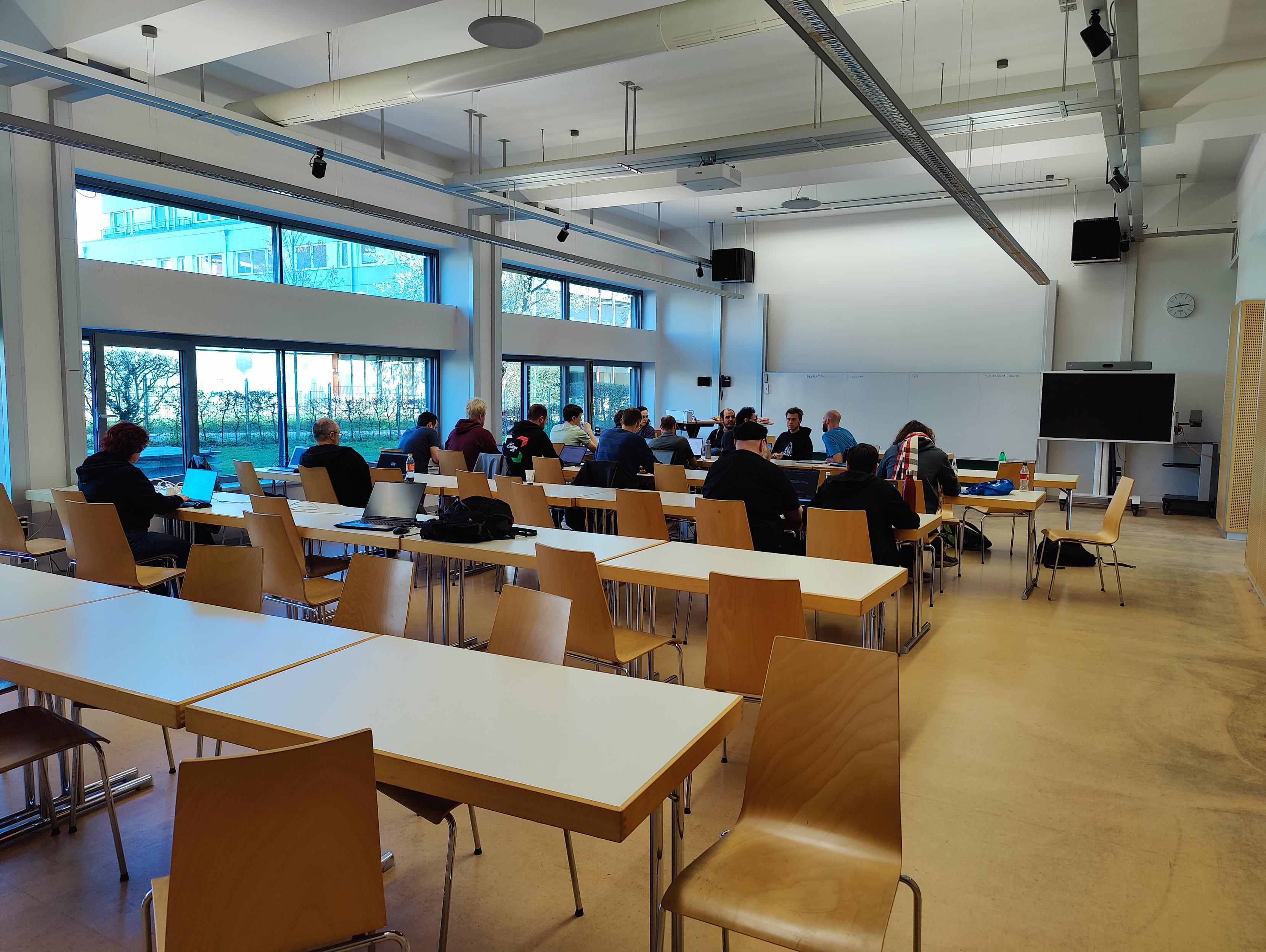
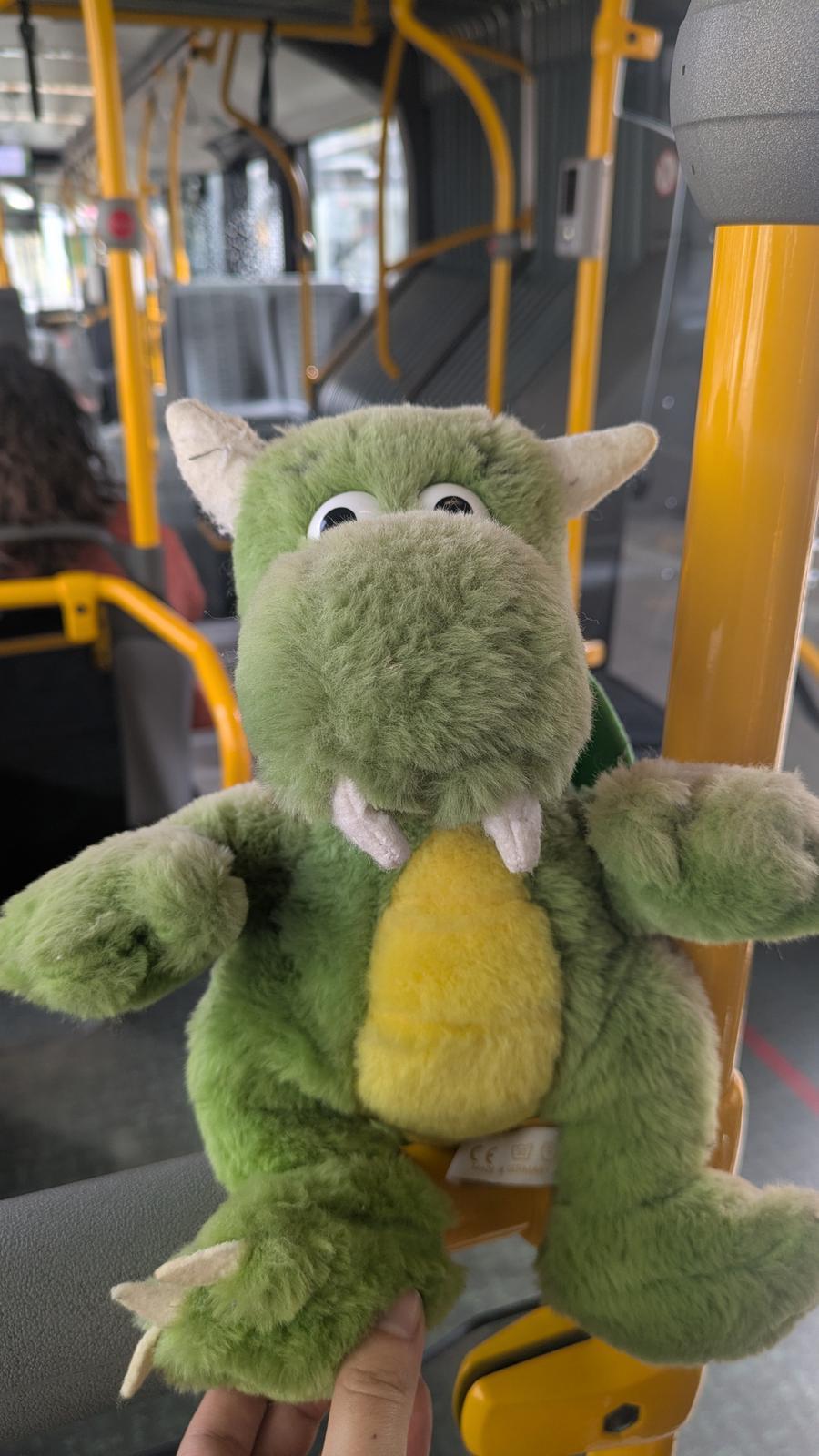
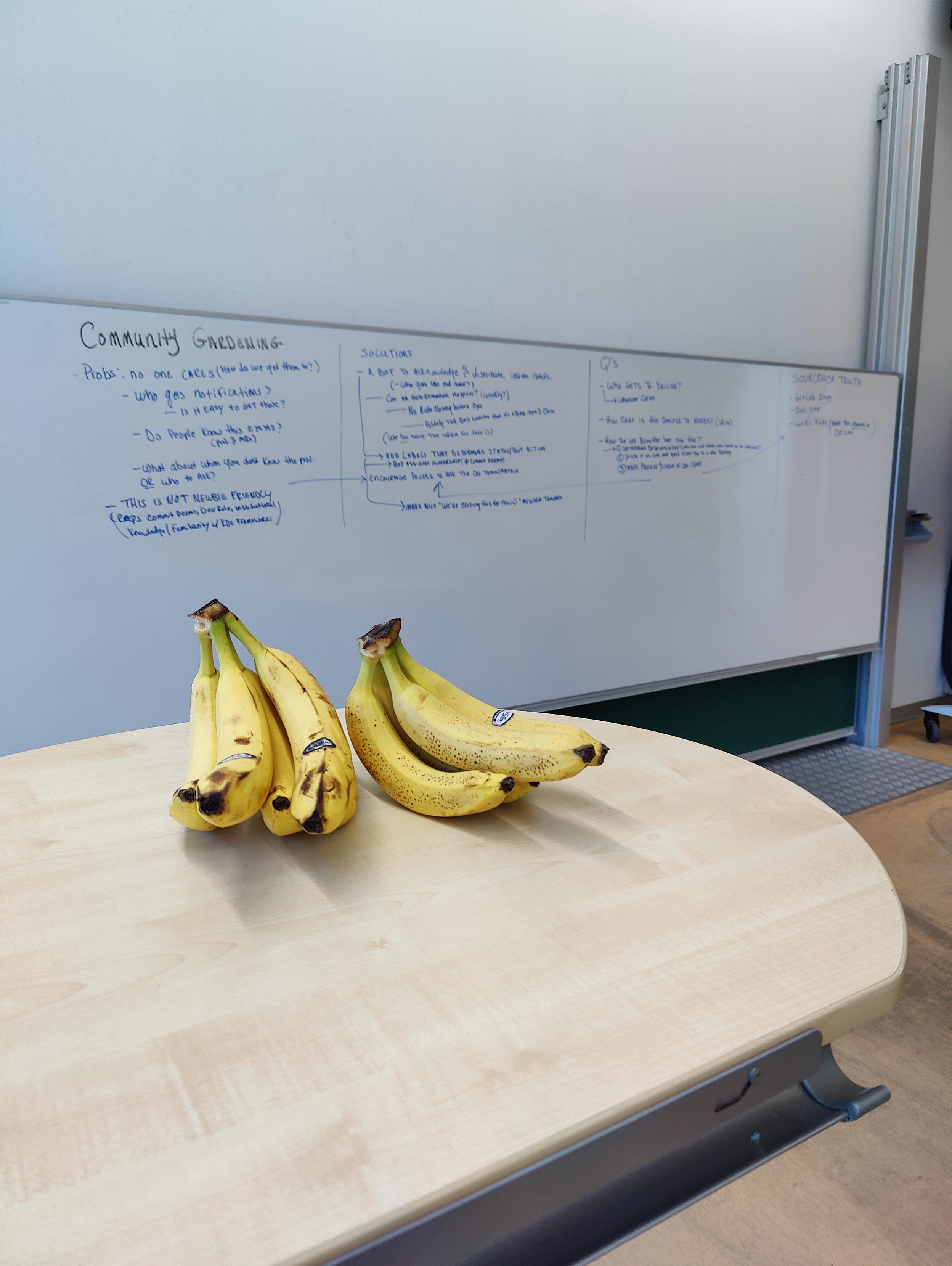
Day 4 of the at

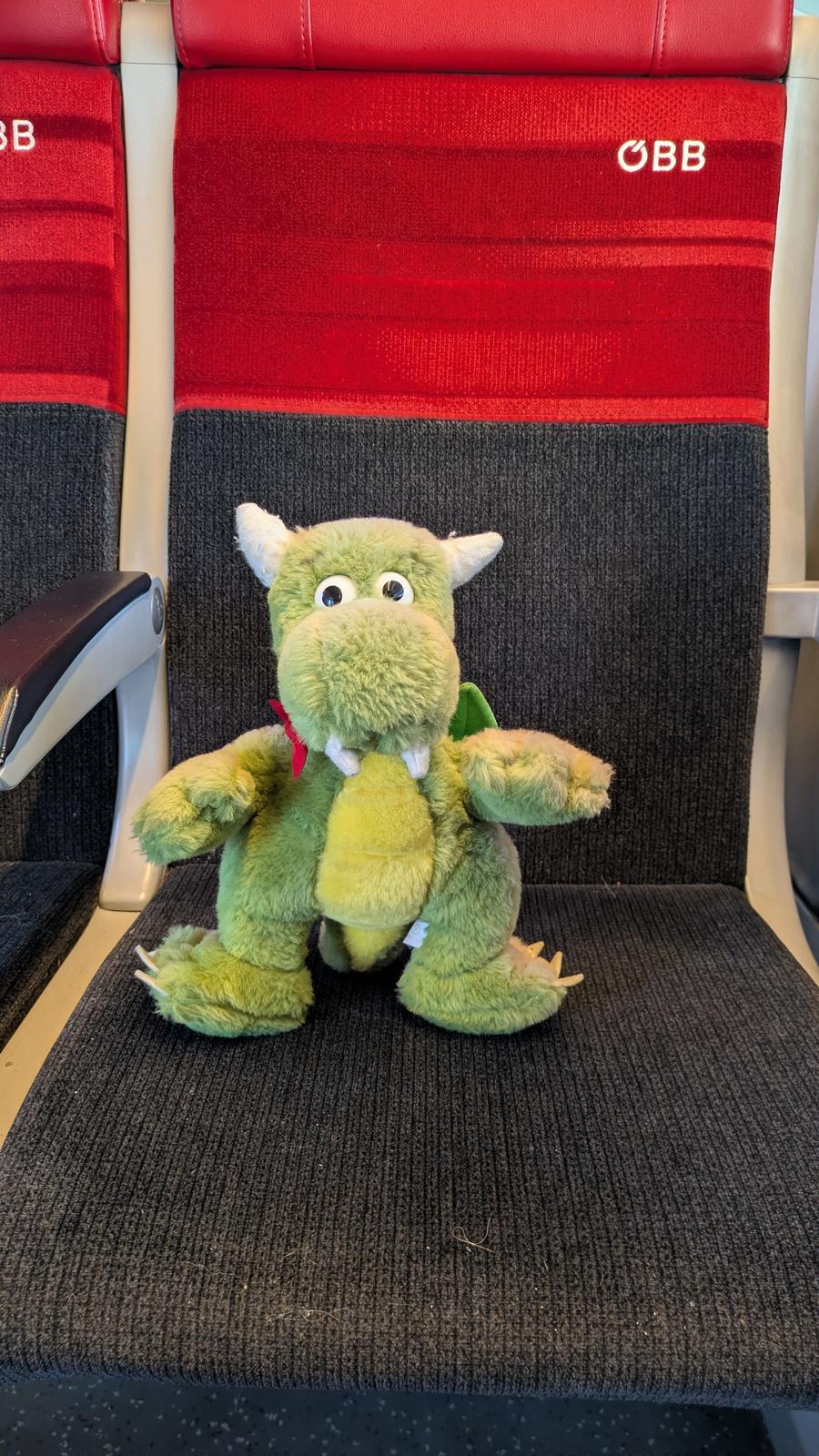
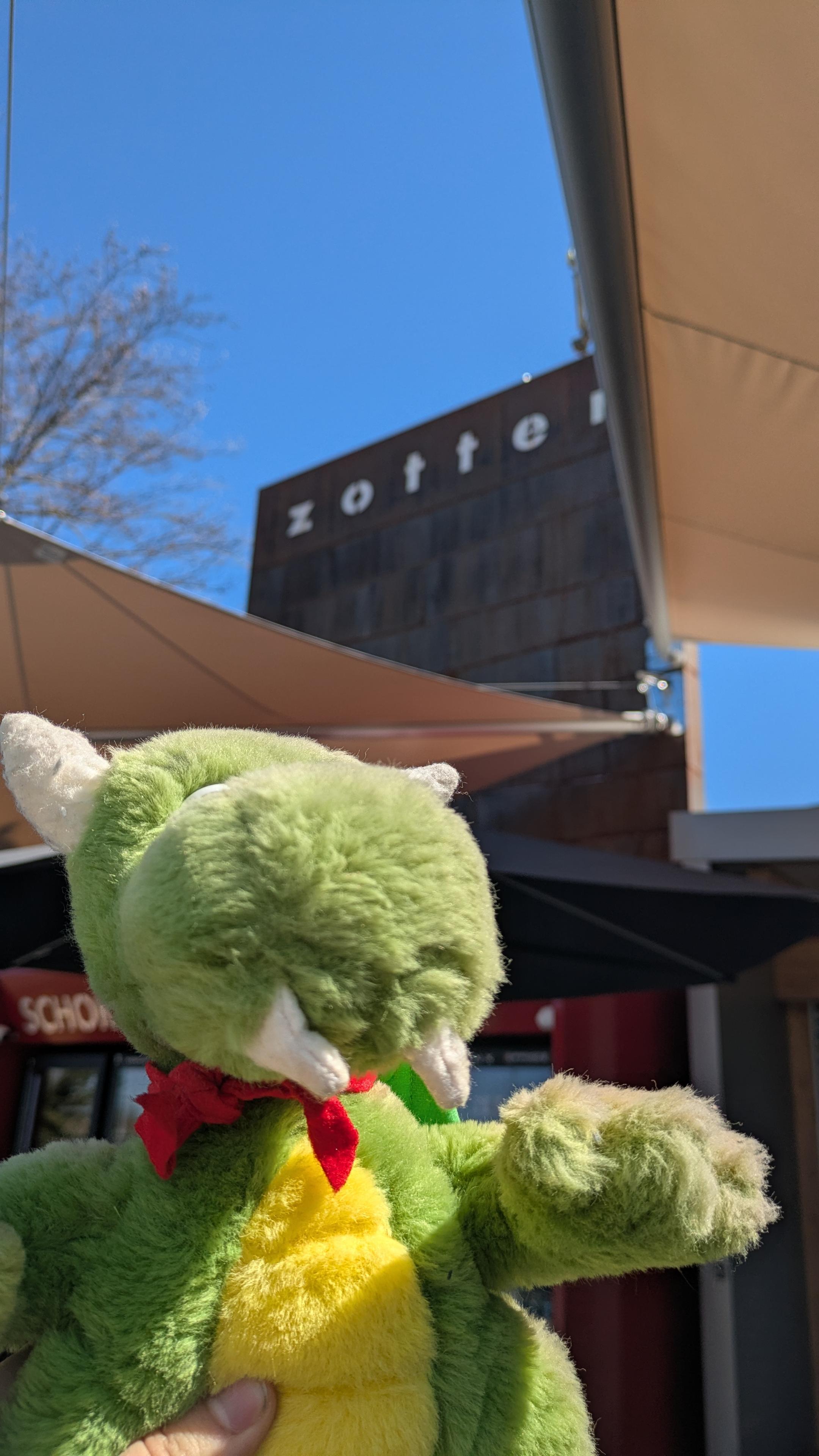
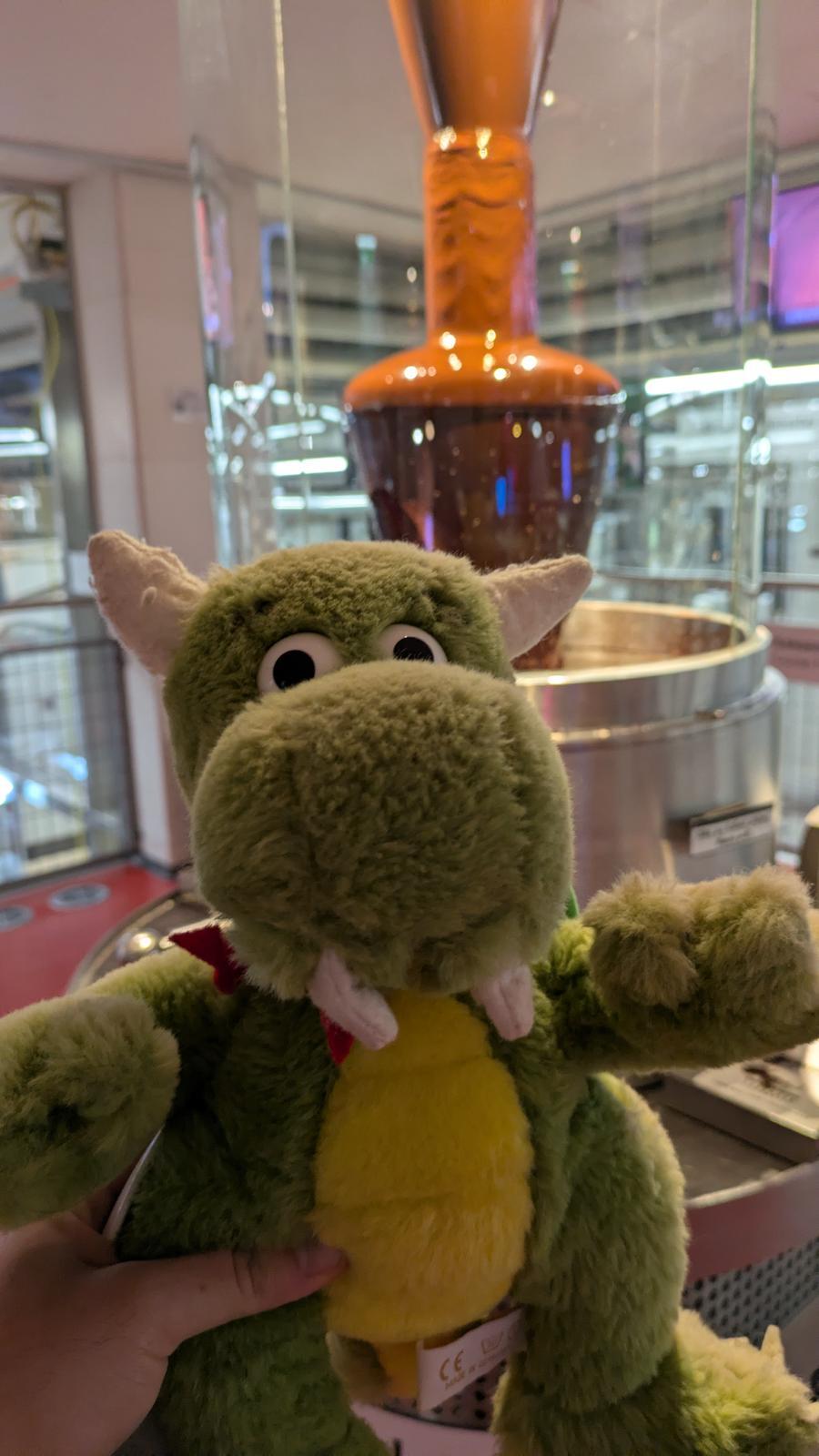
With the developers hard at work again, the dragon travels to zotter.at/ to enjoy some delicious chocolate

@kde

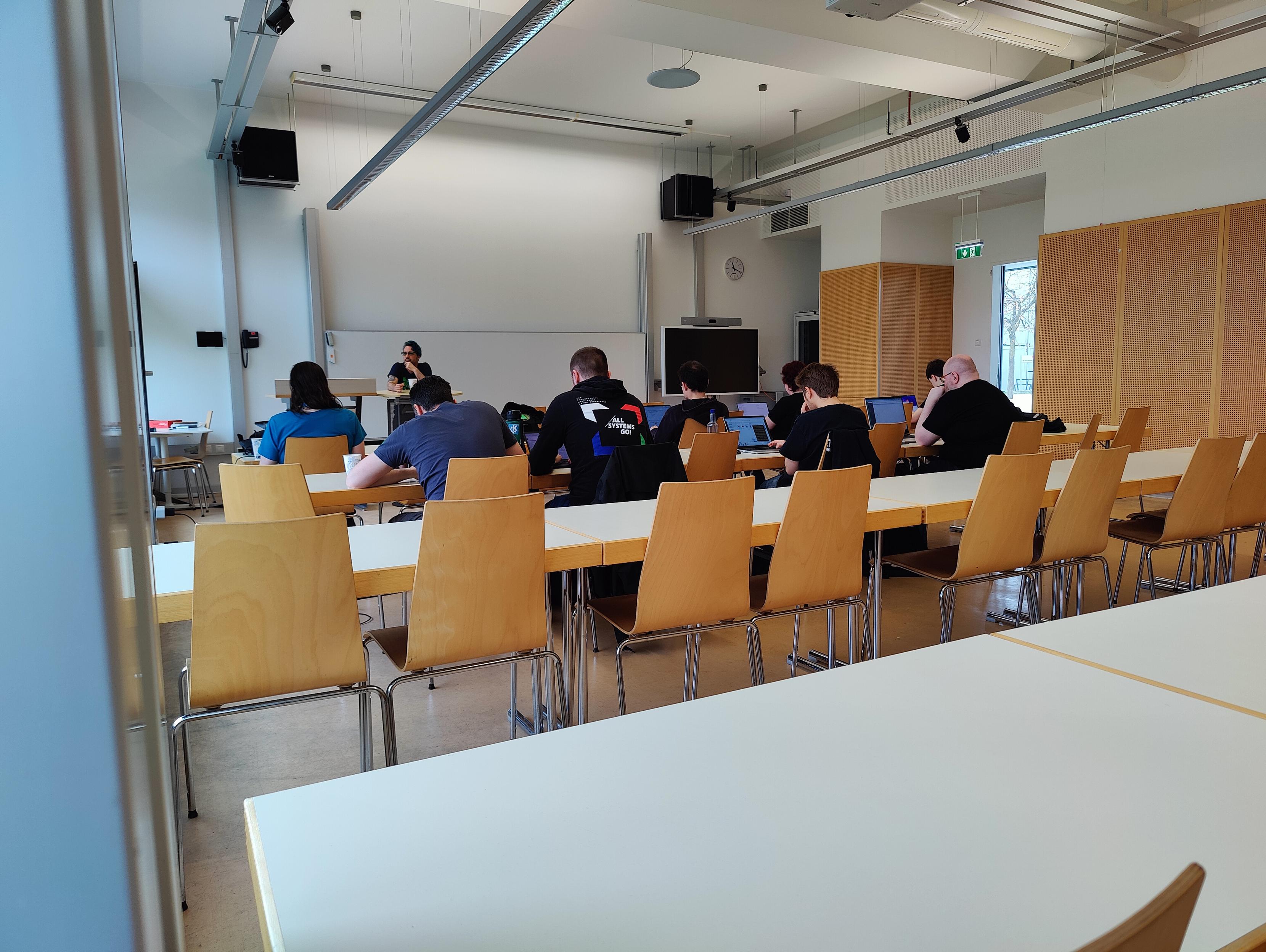
KDE developers at work in a university class room
ALT text

KDE developers at work in a university class room

KDE mascot Konqi on a train seat
ALT text

KDE mascot Konqi on a train seat

KDE mascot Konqi in front of Zotter chocolate factory
ALT text

KDE mascot Konqi in front of Zotter chocolate factory

KDE mascot Konqi with chocolate manufacturing equiopment in the background
ALT text

KDE mascot Konqi with chocolate manufacturing equiopment in the background

@ammdias@masto.pt · Reply to It's a me, Mauro

@mauro

I had been on over Ubuntu for maybe five years, maybe more. Last month I bought a new laptop and decided it was time to move to Wayland because, well, it's the future and, like when Python 3 replaced Python 2, there's no point in staying where I feel comfortable.

The initial plan was installing over OS, but I found that I could not use it as I was using i3, so I have been trying the default over the past weeks. It looks like it will become my home 🙂

@mauro@mograph.social

In a quick turn of events I've switched from qtile to KDE. Basically the first time ever I'm stable on Wayland (since I can load ICC profiles for my monitors).

I gotta say KDE is just phenomenal, super customisable. I'm not using any TWM plugins, but I've recreated my virtual desktops setups and all my keybindings, so it feels like home and it's a polished and complete desktop system, for a change.

I love it!

@krake@graz.social

Day 4 of the at

With the developers hard at work again, the dragon travels to zotter.at/ to enjoy some delicious chocolate

@kde

KDE developers at work in a university class room
ALT text

KDE developers at work in a university class room

KDE mascot Konqi on a train seat
ALT text

KDE mascot Konqi on a train seat

KDE mascot Konqi in front of Zotter chocolate factory
ALT text

KDE mascot Konqi in front of Zotter chocolate factory

KDE mascot Konqi with chocolate manufacturing equiopment in the background
ALT text

KDE mascot Konqi with chocolate manufacturing equiopment in the background

@krake@graz.social

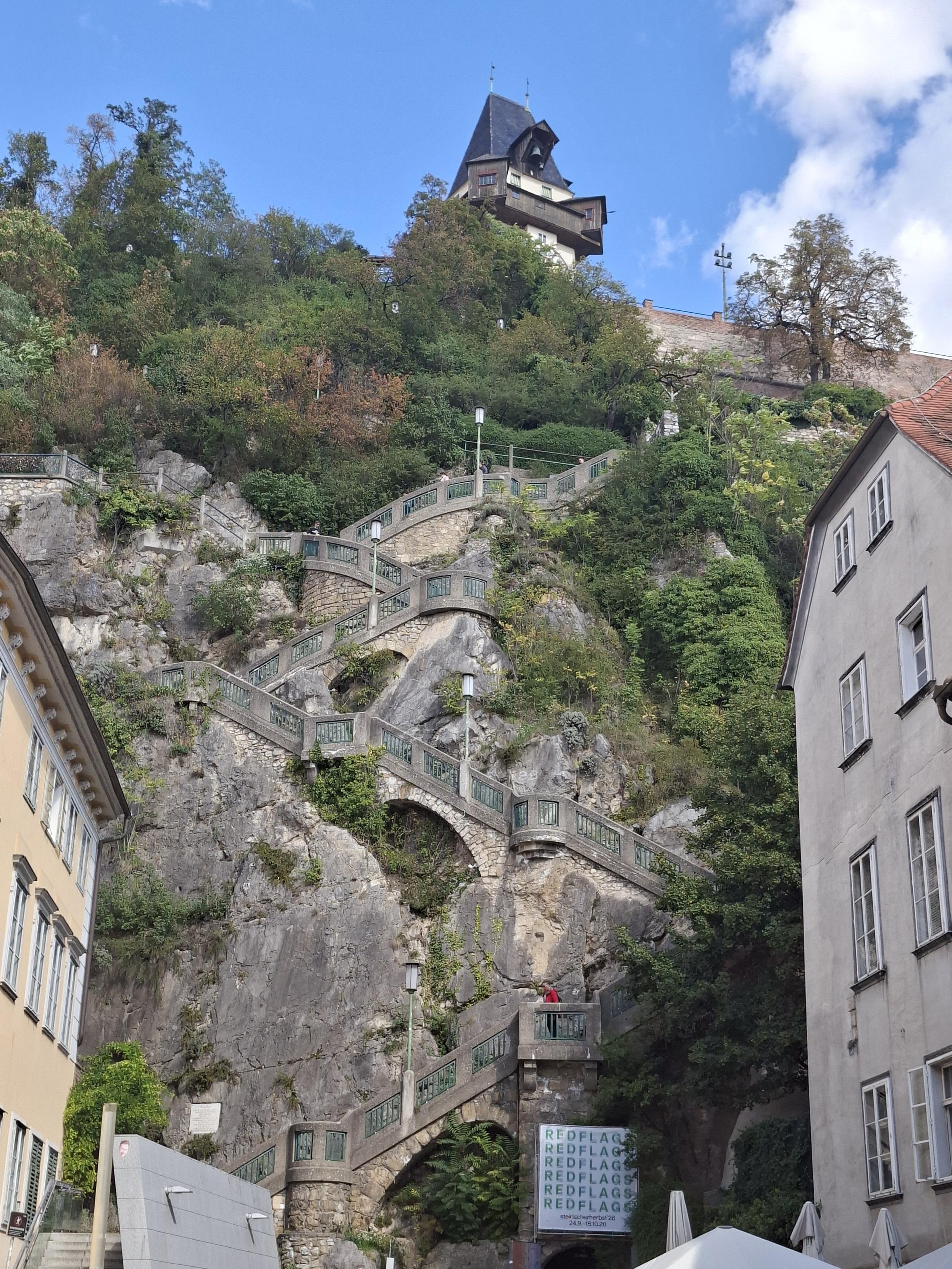
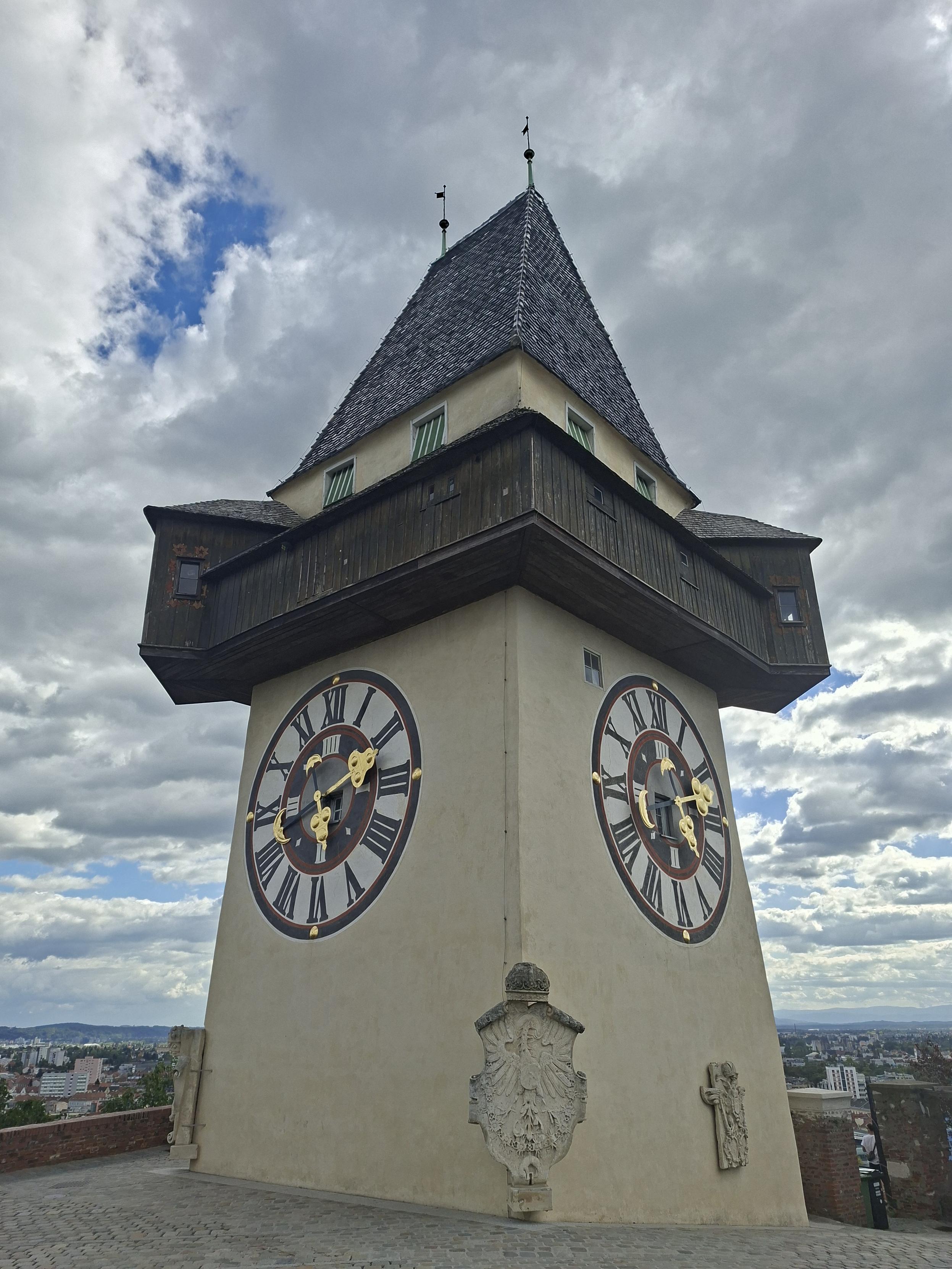
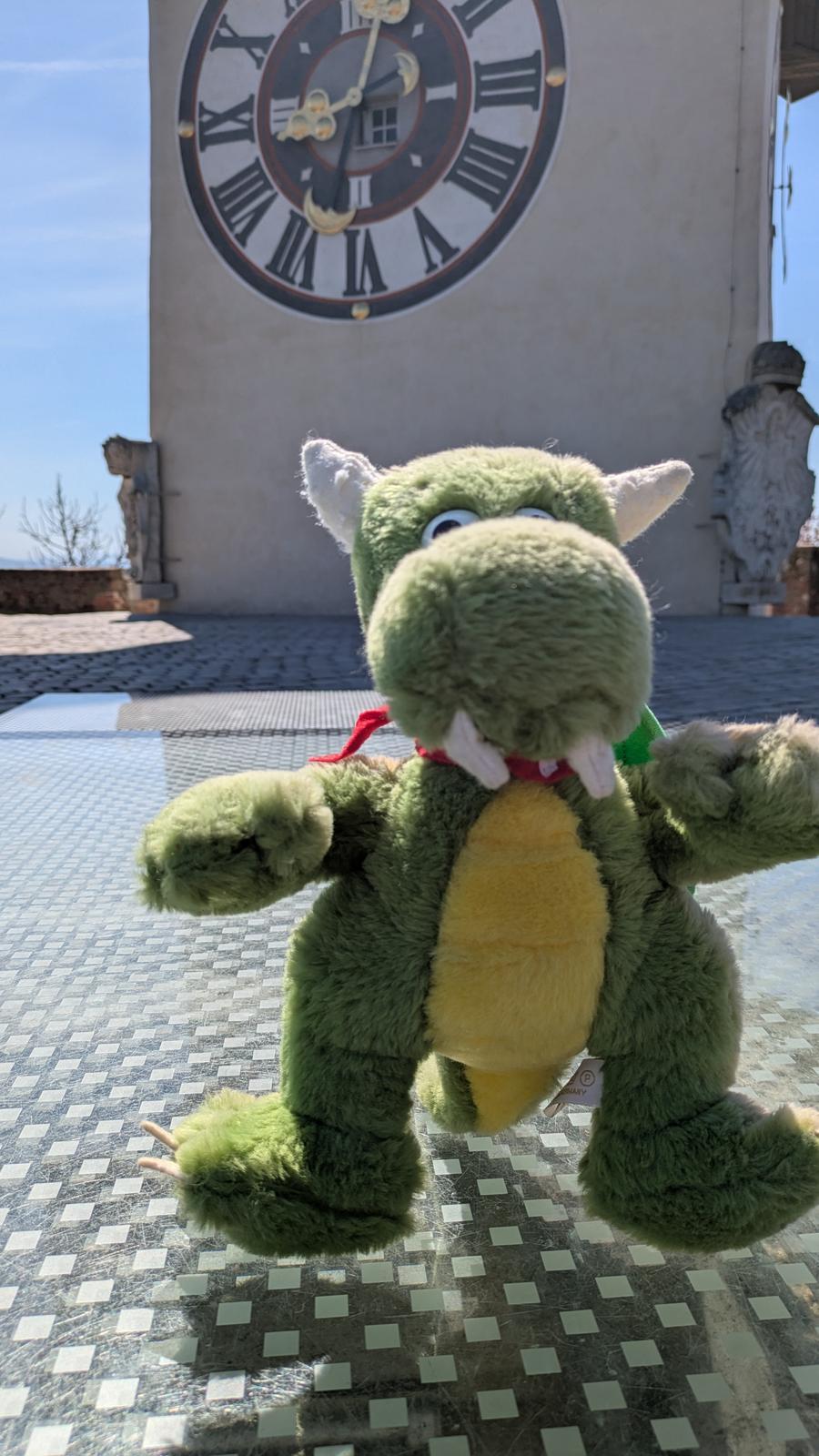
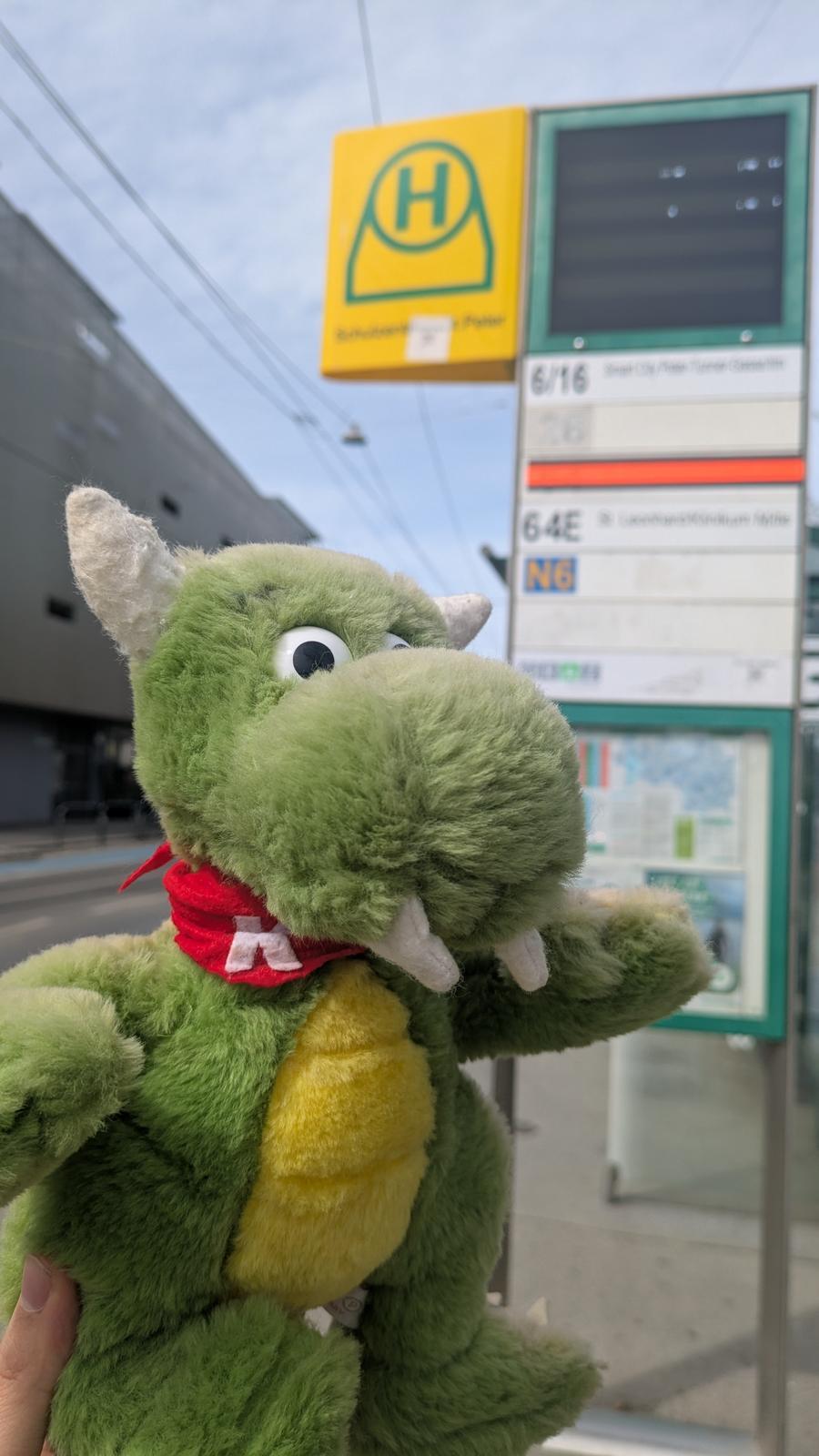
While his (beloved and highly valued ❤) minions toil away in a room at the Campus Inffeldgasse on their 'megasprint, the mighty dragon himself is touring the city of .

What a lovely spring day! ☀️

@kde

KDE mascot Konqi at the Graz clock tower
ALT text

KDE mascot Konqi at the Graz clock tower

KDE mascot Konqi at bus stop in Graz
ALT text

KDE mascot Konqi at bus stop in Graz

KDE mascot Konqi in a local bus
ALT text

KDE mascot Konqi in a local bus

@krake@graz.social

While his (beloved and highly valued ❤) minions toil away in a room at the Campus Inffeldgasse on their 'megasprint, the mighty dragon himself is touring the city of .

What a lovely spring day! ☀️

@kde

KDE mascot Konqi at the Graz clock tower
ALT text

KDE mascot Konqi at the Graz clock tower

KDE mascot Konqi at bus stop in Graz
ALT text

KDE mascot Konqi at bus stop in Graz

KDE mascot Konqi in a local bus
ALT text

KDE mascot Konqi in a local bus

@FediVideo@social.growyourown.services

The free open source software development community KDE has an official video account you can follow at:

➡️ @kde_community

There are already over 400 videos uploaded. If these haven't federated to your server yet you can browse them all at tube.kockatoo.org/a/kde_commun

You can also follow their Mastodon account at @kde

tube.kockatoo.org

KDE

KDE is a diverse, worldwide technology community that creates the Plasma environment for desktop and mobile devices. We also offer a variety of Free and open source applications for multiple platfo...

@FediVideo@social.growyourown.services

The free open source software development community KDE has an official video account you can follow at:

➡️ @kde_community

There are already over 400 videos uploaded. If these haven't federated to your server yet you can browse them all at tube.kockatoo.org/a/kde_commun

You can also follow their Mastodon account at @kde

tube.kockatoo.org

KDE

KDE is a diverse, worldwide technology community that creates the Plasma environment for desktop and mobile devices. We also offer a variety of Free and open source applications for multiple platfo...

@alfonsosiciliano@bsd.cafe

Finally, I managed to install and configure a graphical environment directly during a installation session 🎉

Most of the friction was around GPU drivers, but the feedback and suggestions I received were incredibly helpful. A lot of people want to use FreeBSD on their laptops and desktops, and that really shows.

For now, the goal was to provide a simple option to install Plasma. If there’s interest and more requests, we can definitely expand this in the future with additional desktop environments and options.

Special thanks to the FreeBSD Foundation for their support 🙌

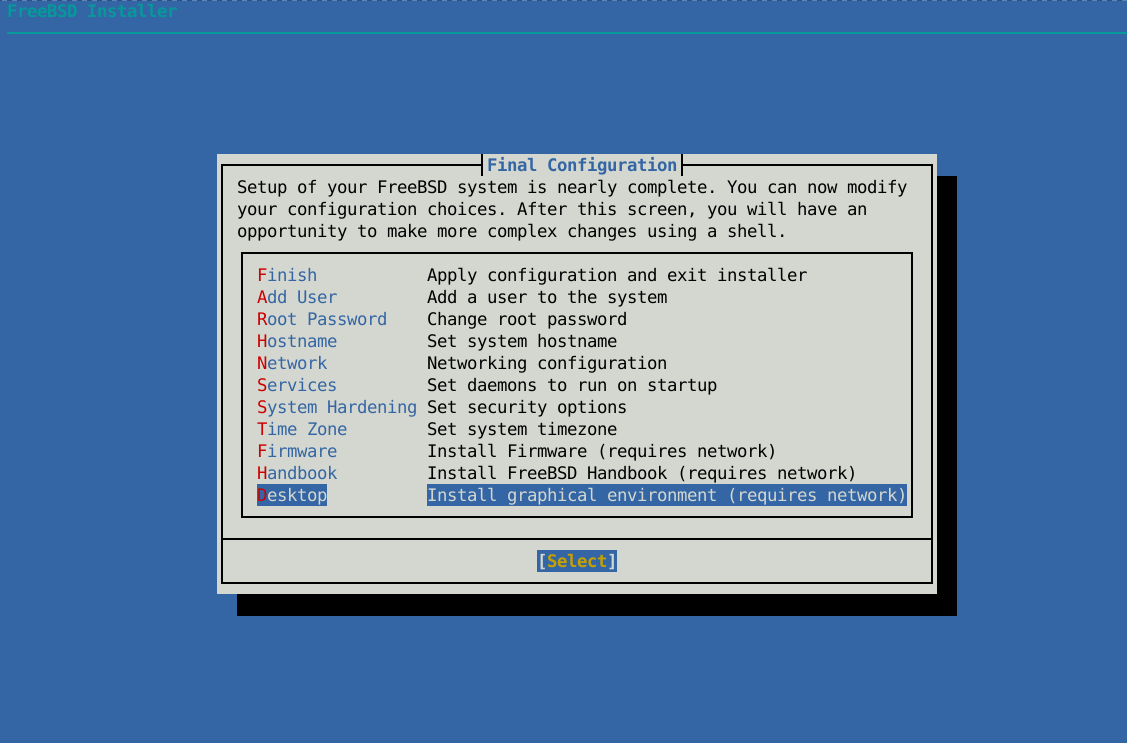
A screenshot of the FreeBSD Installer on a blue background. The main focus is the 'Final Configuration' window with a list of system configuration options. The option 'Desktop' is highlighted, indicating the choice to install a graphical environment.
ALT text

A screenshot of the FreeBSD Installer on a blue background. The main focus is the 'Final Configuration' window with a list of system configuration options. The option 'Desktop' is highlighted, indicating the choice to install a graphical environment.

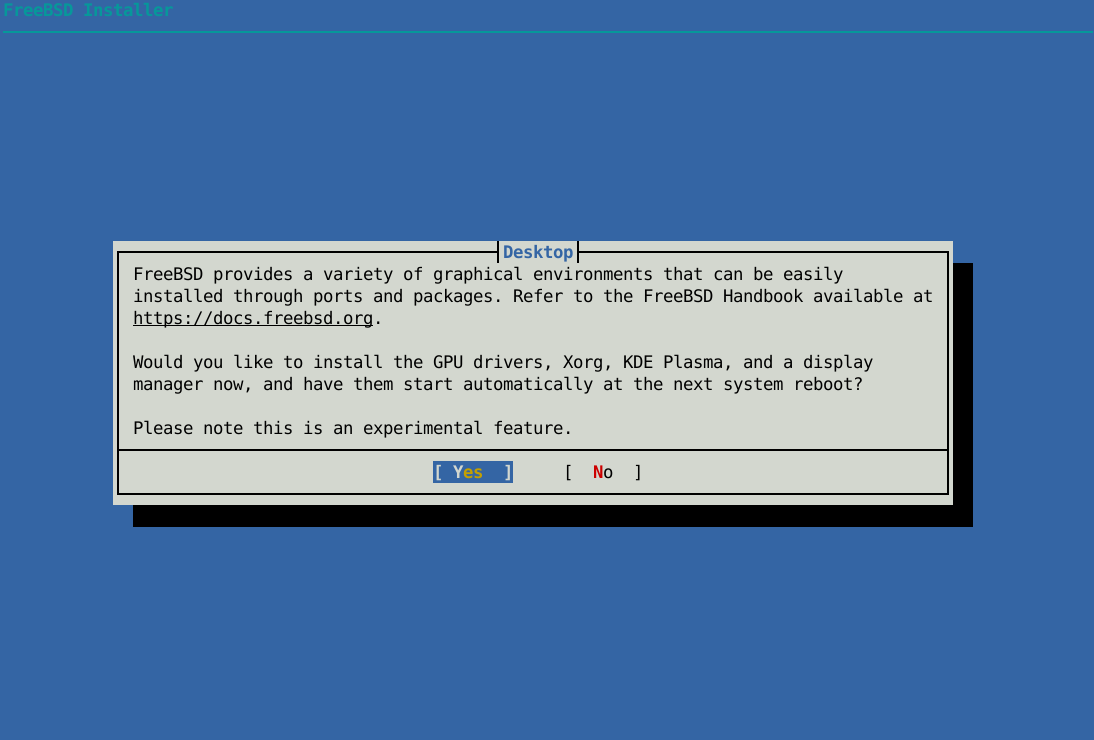
Text-based FreeBSD installer dialog prompting the user to install GPU drivers, Xorg, KDE Plasma, and a display manager. The message notes that this is an experimental feature. Two options, “Yes” and “No,” are shown, with “Yes” currently selected.
ALT text

Text-based FreeBSD installer dialog prompting the user to install GPU drivers, Xorg, KDE Plasma, and a display manager. The message notes that this is an experimental feature. Two options, “Yes” and “No,” are shown, with “Yes” currently selected.

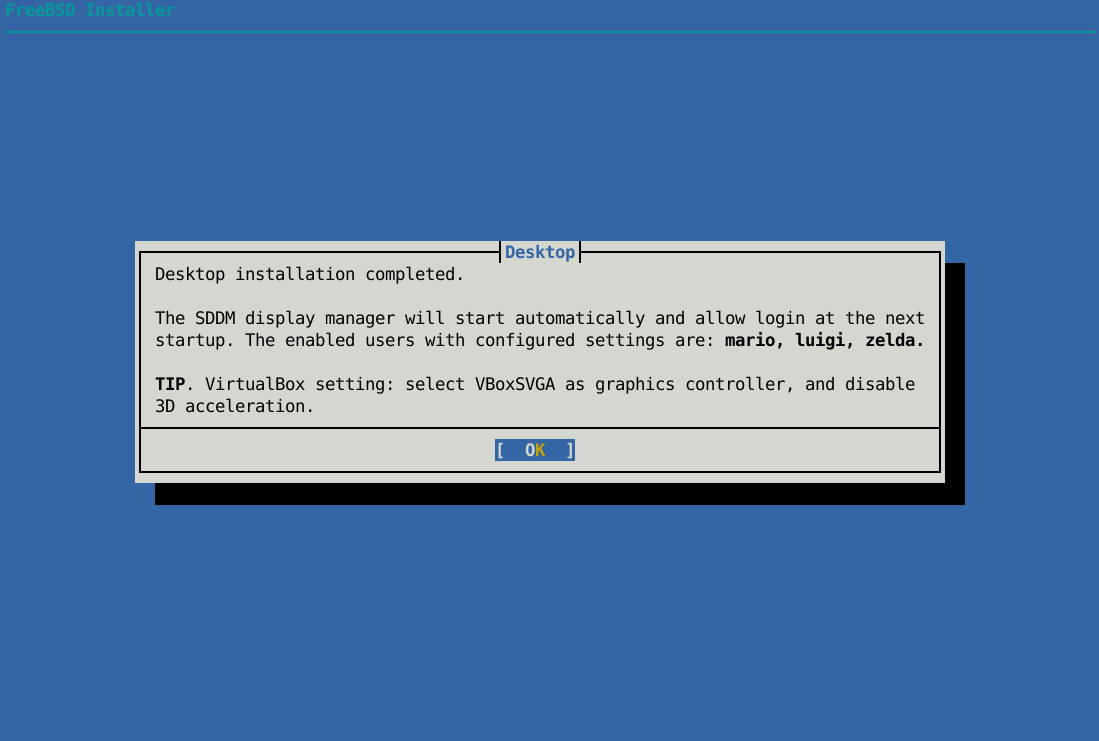
Text-based FreeBSD installer dialog with the title “Desktop installation completed.” The message explains that the SDDM display manager will start automatically at the next system boot and lists configured users. A tip suggests using the VBoxSVGA graphics controller and disabling 3D acceleration in VirtualBox. An “OK” button is highlighted at the bottom.
ALT text

Text-based FreeBSD installer dialog with the title “Desktop installation completed.” The message explains that the SDDM display manager will start automatically at the next system boot and lists configured users. A tip suggests using the VBoxSVGA graphics controller and disabling 3D acceleration in VirtualBox. An “OK” button is highlighted at the bottom.

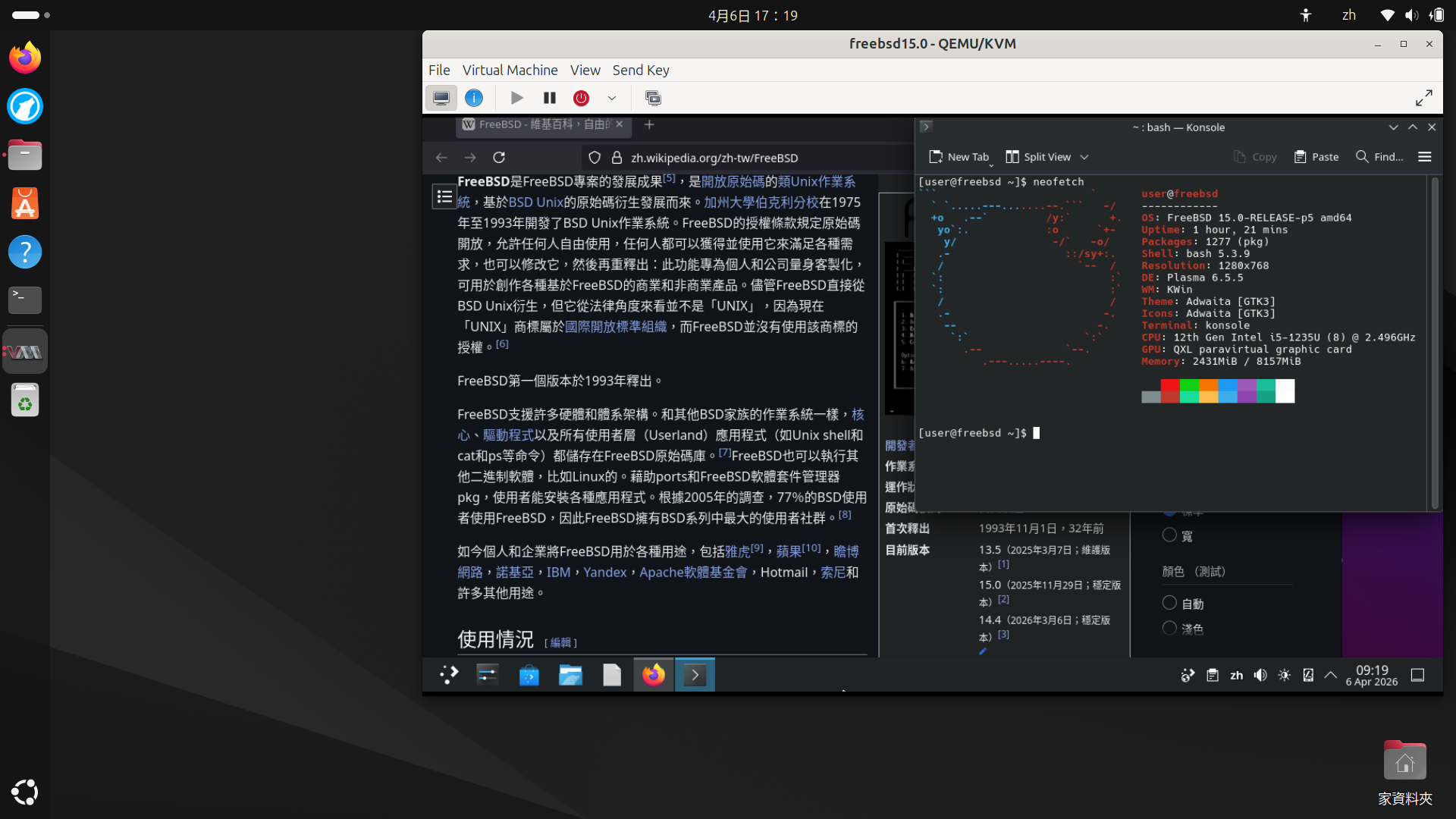
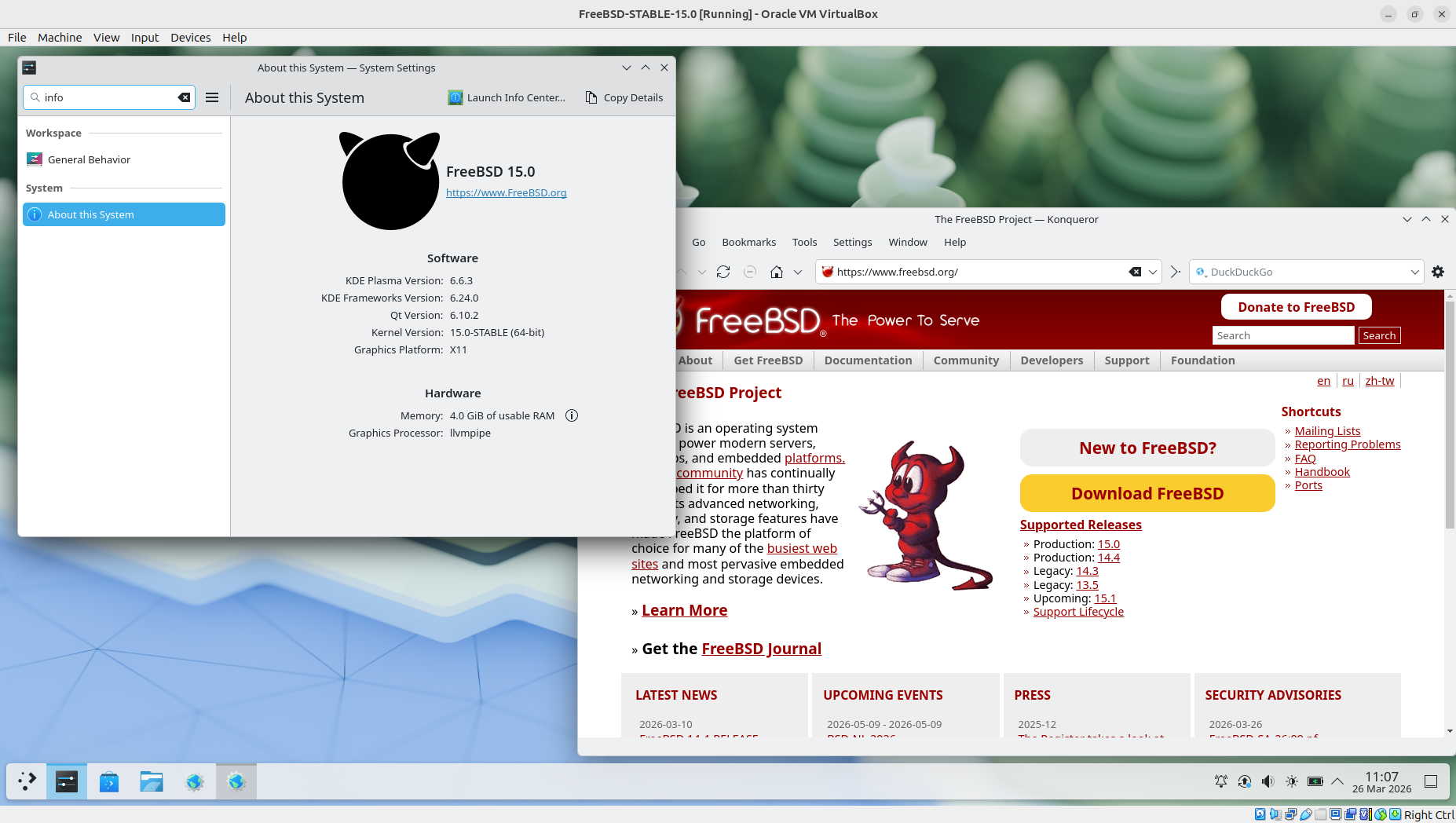
Screenshot of a FreeBSD 15.0 system running inside a VirtualBox virtual machine with the KDE Plasma desktop environment. In the foreground, the “About this System” settings window displays software and hardware information, including KDE Plasma version, Qt version, kernel version, and available memory. In the background, a web browser window is open on the FreeBSD official website.
ALT text

Screenshot of a FreeBSD 15.0 system running inside a VirtualBox virtual machine with the KDE Plasma desktop environment. In the foreground, the “About this System” settings window displays software and hardware information, including KDE Plasma version, Qt version, kernel version, and available memory. In the background, a web browser window is open on the FreeBSD official website.

@alfonsosiciliano@bsd.cafe

Finally, I managed to install and configure a graphical environment directly during a installation session 🎉

Most of the friction was around GPU drivers, but the feedback and suggestions I received were incredibly helpful. A lot of people want to use FreeBSD on their laptops and desktops, and that really shows.

For now, the goal was to provide a simple option to install Plasma. If there’s interest and more requests, we can definitely expand this in the future with additional desktop environments and options.

Special thanks to the FreeBSD Foundation for their support 🙌

A screenshot of the FreeBSD Installer on a blue background. The main focus is the 'Final Configuration' window with a list of system configuration options. The option 'Desktop' is highlighted, indicating the choice to install a graphical environment.
ALT text

A screenshot of the FreeBSD Installer on a blue background. The main focus is the 'Final Configuration' window with a list of system configuration options. The option 'Desktop' is highlighted, indicating the choice to install a graphical environment.

Text-based FreeBSD installer dialog prompting the user to install GPU drivers, Xorg, KDE Plasma, and a display manager. The message notes that this is an experimental feature. Two options, “Yes” and “No,” are shown, with “Yes” currently selected.
ALT text

Text-based FreeBSD installer dialog prompting the user to install GPU drivers, Xorg, KDE Plasma, and a display manager. The message notes that this is an experimental feature. Two options, “Yes” and “No,” are shown, with “Yes” currently selected.

Text-based FreeBSD installer dialog with the title “Desktop installation completed.” The message explains that the SDDM display manager will start automatically at the next system boot and lists configured users. A tip suggests using the VBoxSVGA graphics controller and disabling 3D acceleration in VirtualBox. An “OK” button is highlighted at the bottom.
ALT text

Text-based FreeBSD installer dialog with the title “Desktop installation completed.” The message explains that the SDDM display manager will start automatically at the next system boot and lists configured users. A tip suggests using the VBoxSVGA graphics controller and disabling 3D acceleration in VirtualBox. An “OK” button is highlighted at the bottom.

Screenshot of a FreeBSD 15.0 system running inside a VirtualBox virtual machine with the KDE Plasma desktop environment. In the foreground, the “About this System” settings window displays software and hardware information, including KDE Plasma version, Qt version, kernel version, and available memory. In the background, a web browser window is open on the FreeBSD official website.
ALT text

Screenshot of a FreeBSD 15.0 system running inside a VirtualBox virtual machine with the KDE Plasma desktop environment. In the foreground, the “About this System” settings window displays software and hardware information, including KDE Plasma version, Qt version, kernel version, and available memory. In the background, a web browser window is open on the FreeBSD official website.

@shanmukhateja@social.linux.pizza

Hey @kde with the recent birthdate field being introduced into systemd and the lead developer being obnoxiously stupid about it, Plasma desktop relying more on systemd feels wrong.

Given the circumstances, I urge you to please reconsider systemd dependency on KDE platform and if possible, please think of alternatives.

When you said X11 is getting axed from the codebase, I was ok with because Wayland has improved significantly over the years and offers more almost all the functionality from X11; systemd is different.

This post is an attempt to make my case as a (happy and satisfied) KDE Plasma user for few years so please think again about getting in bed with that project.

@begasus@mastodon-belgium.be

Marknote 1.5.0 is out and is packed with new features! Marknote is turning into a robust knowledge base while keeping the interface as clean and distraction-free as possible. Coming up for Haiku shortly!

Read all about it at: blogs.kde.org/2026/03/13/markn

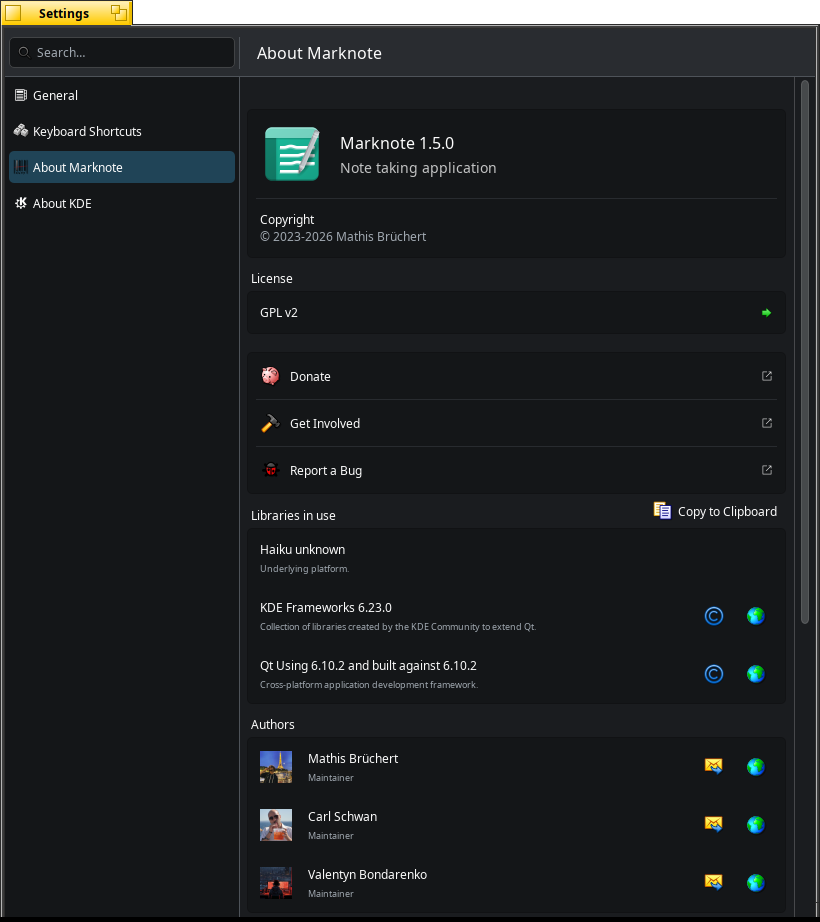
Marknote 1.5.0 About window on Haiku.
ALT text

Marknote 1.5.0 About window on Haiku.

Marknote 1.5.0 with TOC (Table of Content) in Haiku.
ALT text

Marknote 1.5.0 with TOC (Table of Content) in Haiku.

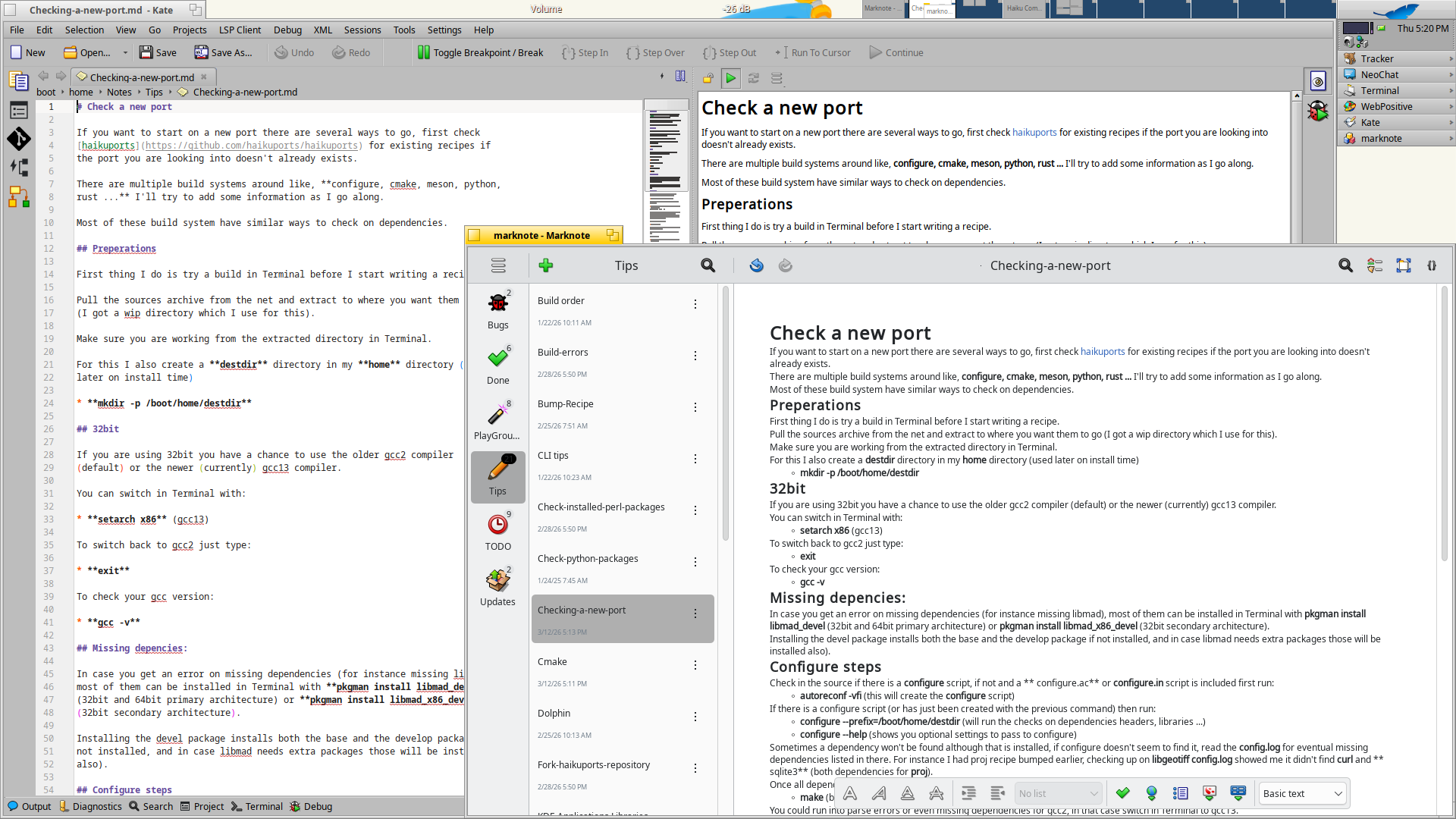
Comparison markdown editing/viewing in Kate 25.12.3 and Marknote 1.5.0 in Haiku.
ALT text

Comparison markdown editing/viewing in Kate 25.12.3 and Marknote 1.5.0 in Haiku.

@Merritt@mastodon.social

I added diacritics support to Plasma Keyboard!

merritt.codes/blog/2026/03/13/

Now I can more easily write German words as I continue learning it, such as: über, schön, and Straße!

Also, I can sprinkle my lovely symbols in my writing without having to resort to the compose key or copy-pasting — isn't that great‽ 😁

Demo video showing how the plasma keyboard diacritics feature works
ALT text

Demo video showing how the plasma keyboard diacritics feature works

@begasus@mastodon-belgium.be

Marknote 1.5.0 is out and is packed with new features! Marknote is turning into a robust knowledge base while keeping the interface as clean and distraction-free as possible. Coming up for Haiku shortly!

Read all about it at: blogs.kde.org/2026/03/13/markn

Marknote 1.5.0 About window on Haiku.
ALT text

Marknote 1.5.0 About window on Haiku.

Marknote 1.5.0 with TOC (Table of Content) in Haiku.
ALT text

Marknote 1.5.0 with TOC (Table of Content) in Haiku.

Comparison markdown editing/viewing in Kate 25.12.3 and Marknote 1.5.0 in Haiku.
ALT text

Comparison markdown editing/viewing in Kate 25.12.3 and Marknote 1.5.0 in Haiku.

@jimp@masto.ai

The GTK file picker Firefox wants to use by default is meh. I'm not sure why it doesn't use the one provided by the OS when it's just one about:config tweak away. Change widget.use-xdg-desktop-portal.file-picker from 2 to 1 and you get the much, much better KDE file picker. Assuming you're using @kde of course.

It's been a problem for ages on multiple operating systems, not a new thing. At least now you don't have to set environment variables and change startup scripts.

@jimp@masto.ai

The GTK file picker Firefox wants to use by default is meh. I'm not sure why it doesn't use the one provided by the OS when it's just one about:config tweak away. Change widget.use-xdg-desktop-portal.file-picker from 2 to 1 and you get the much, much better KDE file picker. Assuming you're using @kde of course.

It's been a problem for ages on multiple operating systems, not a new thing. At least now you don't have to set environment variables and change startup scripts.

@carl@kde.social

It’s been a while, but here are some updates regarding @kde@floss.social
apps. This includes many new features in Marknote and Drawy, some UI improvements in Itinerary, a new home page for Audiotube, and much more!

blogs.kde.org/2026/03/02/this-

@kde@lemmy.kde.social

marknote with a table of content overlay
ALT text

marknote with a table of content overlay

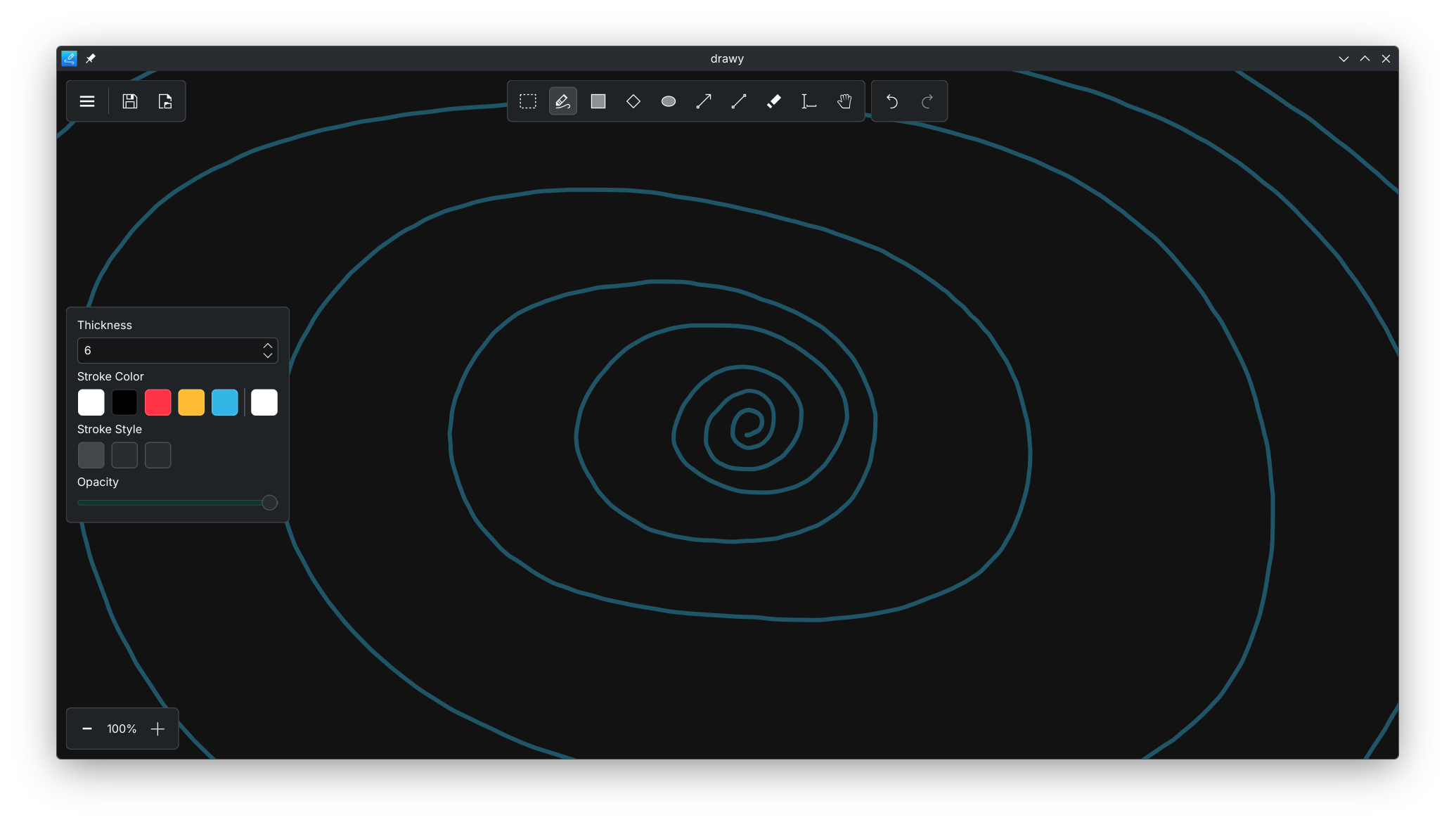
Drawy with some free hand drawing
ALT text

Drawy with some free hand drawing

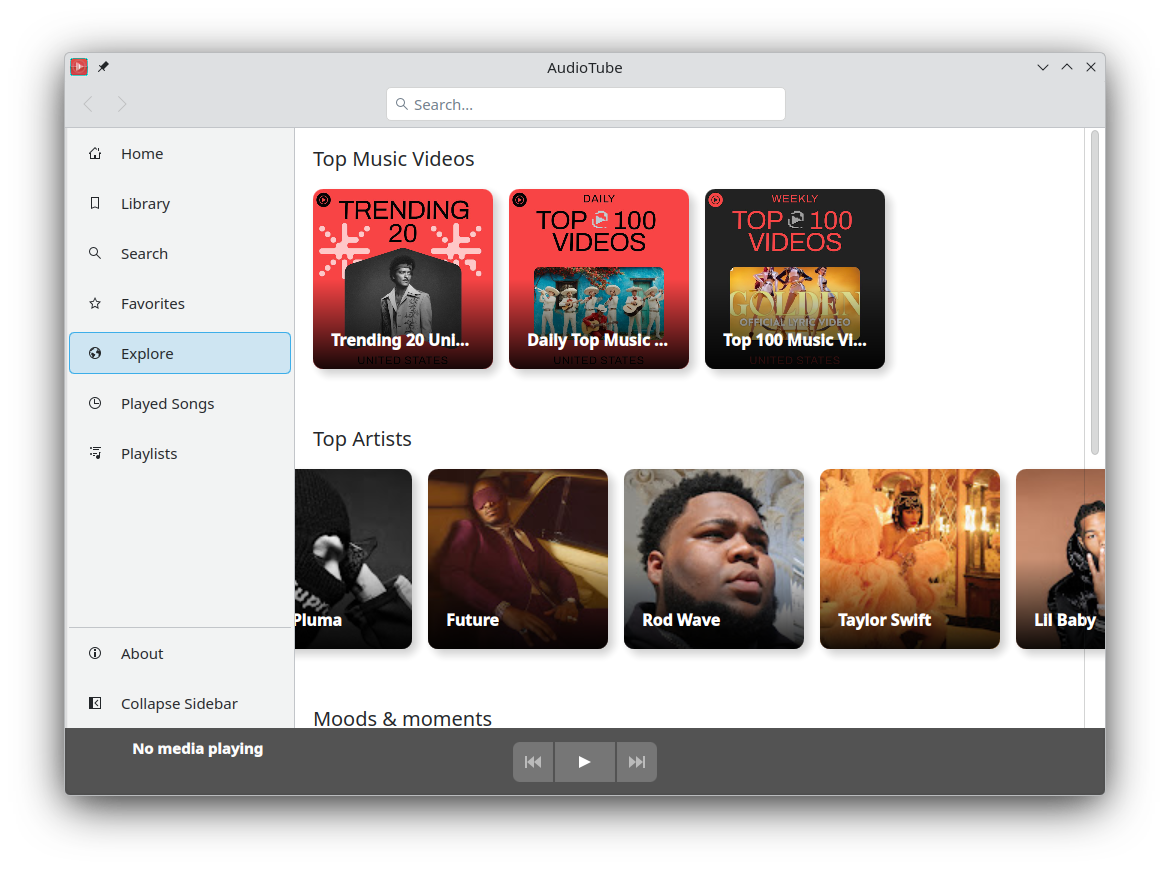
screenshot of the new explore page in AudioTube
ALT text

screenshot of the new explore page in AudioTube

@carl@kde.social

It’s been a while, but here are some updates regarding @kde@floss.social
apps. This includes many new features in Marknote and Drawy, some UI improvements in Itinerary, a new home page for Audiotube, and much more!

blogs.kde.org/2026/03/02/this-

@kde@lemmy.kde.social

marknote with a table of content overlay
ALT text

marknote with a table of content overlay

Drawy with some free hand drawing
ALT text

Drawy with some free hand drawing

screenshot of the new explore page in AudioTube
ALT text

screenshot of the new explore page in AudioTube

@mawkler@fosstodon.org

I just installed KDE Connect on my laptop and it's absolutely amazing! Seamless integration between my laptop and phone. Send files, clipboard, SMS, etc.

It proves that the choice between freedom and seamlessness (i.e. walled gardens) is a false dichotomy; you can have both.

@stib@aus.social

My son bought a second-hand Windows 11 PC for games, and has been having BSOD issues with the graphics card since he got it. Out of desperation he tried installing Bazzite on it, which I encouraged, but was also trying not to get his hopes up, telling him that the some things might not work. But he reports that "absolutely everything works better than Windows".
I suggested he use KDE for the desktop, and he is blown away about how good everything looks, and how easy the user experience is. He has used Linux for a bit probably 7 or 8 years ago when he used a salvaged laptop at uni that had Ubuntu on it, and he remembers that being a bit janky and frustrating, but now he's decided that he'll wipe the Windows partition and stay with Linux.
So keep it up, clever people that are making Linux distros and software, you're winning.

@stib@aus.social

My son bought a second-hand Windows 11 PC for games, and has been having BSOD issues with the graphics card since he got it. Out of desperation he tried installing Bazzite on it, which I encouraged, but was also trying not to get his hopes up, telling him that the some things might not work. But he reports that "absolutely everything works better than Windows".
I suggested he use KDE for the desktop, and he is blown away about how good everything looks, and how easy the user experience is. He has used Linux for a bit probably 7 or 8 years ago when he used a salvaged laptop at uni that had Ubuntu on it, and he remembers that being a bit janky and frustrating, but now he's decided that he'll wipe the Windows partition and stay with Linux.
So keep it up, clever people that are making Linux distros and software, you're winning.

@carl@kde.social

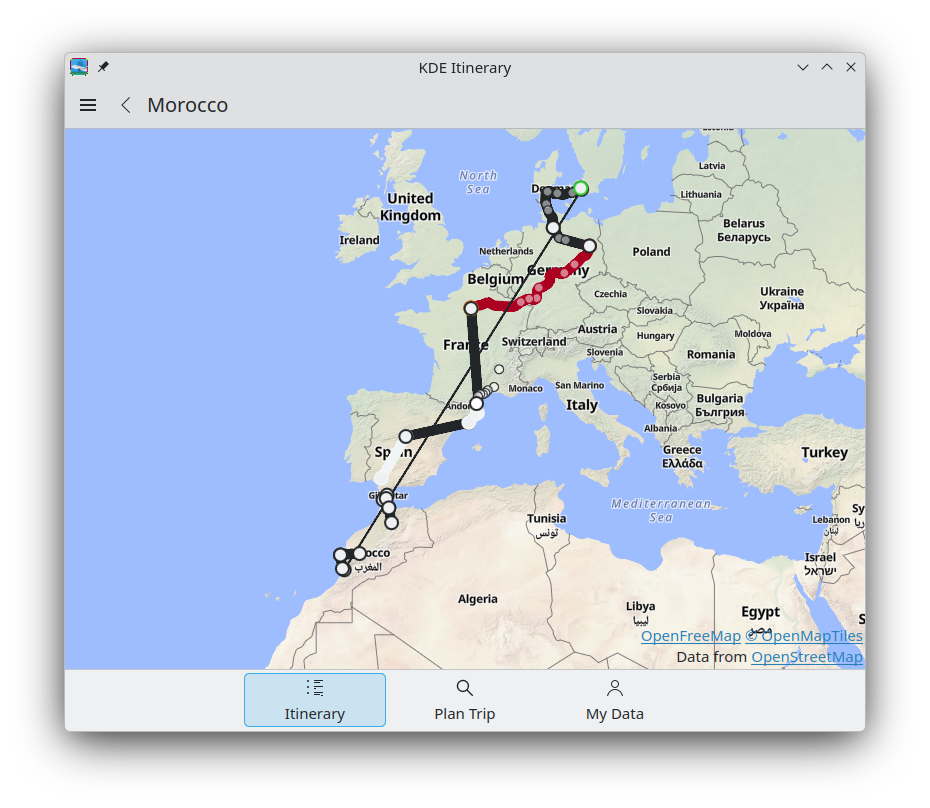
Part of the fun of planing a trip is to ensure Itinerary supports all the new exotic tickets from the trip. So after writing a few more custom extractors, here is the full journey:

Trip from Berlin, to spain, to morocco, flying back to danemark and then back on  a train to Berlin
ALT text

Trip from Berlin, to spain, to morocco, flying back to danemark and then back on a train to Berlin

@carl@kde.social

Part of the fun of planing a trip is to ensure Itinerary supports all the new exotic tickets from the trip. So after writing a few more custom extractors, here is the full journey:

Trip from Berlin, to spain, to morocco, flying back to danemark and then back on  a train to Berlin
ALT text

Trip from Berlin, to spain, to morocco, flying back to danemark and then back on a train to Berlin

@TeddyTheBest@framapiaf.org
@mkwadee@mastodon.org.uk · Reply to Khurram Wadee ✅

And here I am sitting in front of four working monitors (three external, two via , one via ), all configured through and using and without any faffing around, except for plugging things into the correct ports to begin with. has come a long way in the decades since I started using it. And now, more often that not, !

@mkwadee@mastodon.org.uk · Reply to Khurram Wadee ✅

And here I am sitting in front of four working monitors (three external, two via , one via ), all configured through and using and without any faffing around, except for plugging things into the correct ports to begin with. has come a long way in the decades since I started using it. And now, more often that not, !

@redstrate@mastodon.art

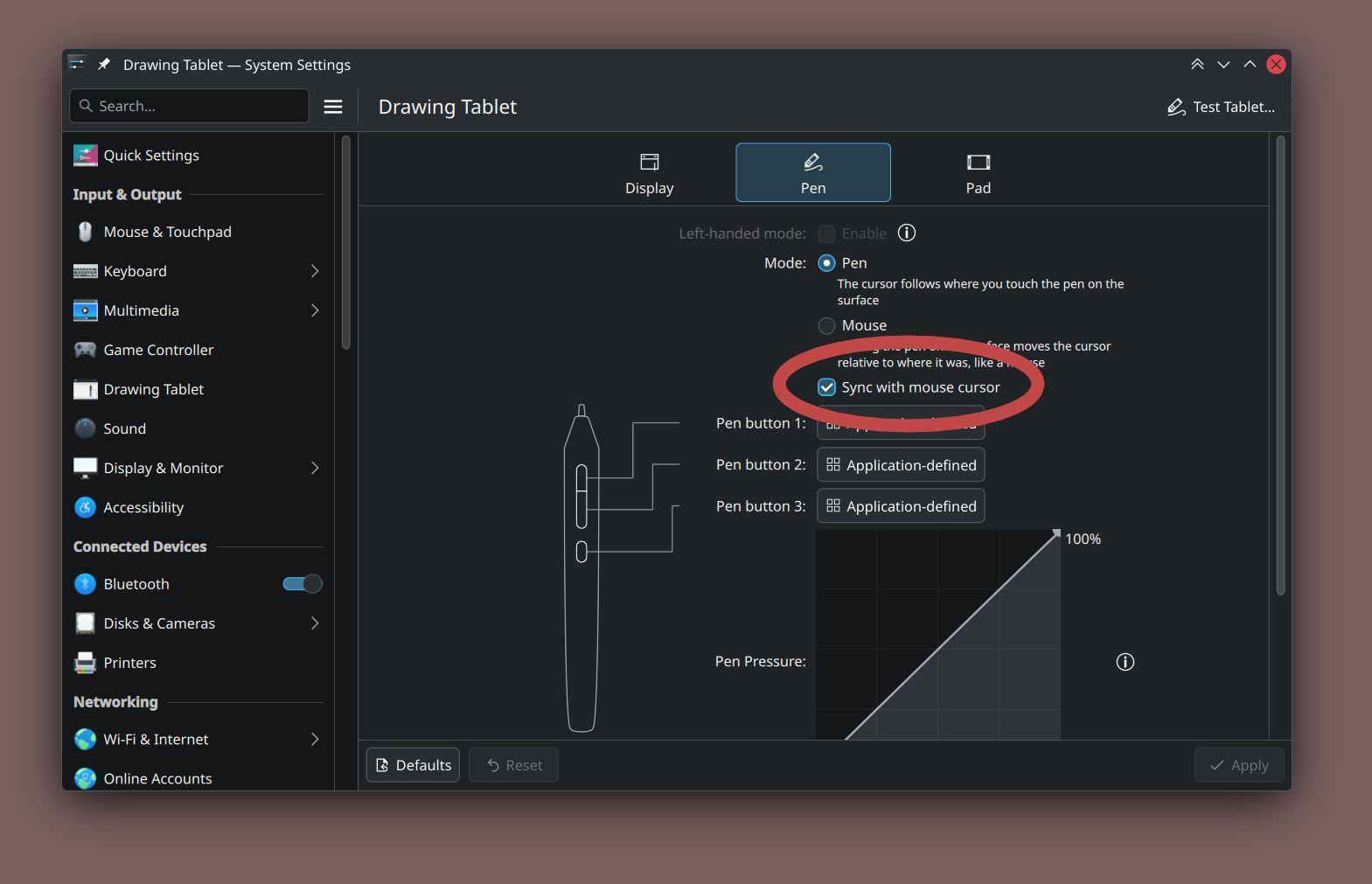
Just merged a feature in Plasma 6.7 that might make you happy: a way to "unify" your mouse pointer and the tablet pointer. You may had to resort to other software to do this, but now it's built-in to your desktop environment ✅

In previous versions (or with this option off), your mouse cursor would start from the last position it was in - not caring where you had your stylus pen. This is useful for users whom switch between the two often 🖱️

Screenshot of the KDE Plasma 6.7 Drawing Tablet settings. It looks near identical to previous versions, except with a new setting that I highlighted called "Sync with mouse cursor".
ALT text

Screenshot of the KDE Plasma 6.7 Drawing Tablet settings. It looks near identical to previous versions, except with a new setting that I highlighted called "Sync with mouse cursor".

@redstrate@mastodon.art

Just merged a feature in Plasma 6.7 that might make you happy: a way to "unify" your mouse pointer and the tablet pointer. You may had to resort to other software to do this, but now it's built-in to your desktop environment ✅

In previous versions (or with this option off), your mouse cursor would start from the last position it was in - not caring where you had your stylus pen. This is useful for users whom switch between the two often 🖱️

Screenshot of the KDE Plasma 6.7 Drawing Tablet settings. It looks near identical to previous versions, except with a new setting that I highlighted called "Sync with mouse cursor".
ALT text

Screenshot of the KDE Plasma 6.7 Drawing Tablet settings. It looks near identical to previous versions, except with a new setting that I highlighted called "Sync with mouse cursor".

@glitchy404@possum.city

i have found a bug in kde
@kde@floss.social
go to the theme context bar, then select something in the sidebar
settings freezes for a bit before crashing

I click on the theme context bar, then select something in the sidebar
settings freezes for a bit before crashing
ALT text

I click on the theme context bar, then select something in the sidebar settings freezes for a bit before crashing

@alfonsosiciliano@bsd.cafe

Call for testing for a script that installs on a desktop or laptop. Testing is aimed at users who already know FreeBSD, for example who can configure /etc/rc.conf and /boot/loader.conf.
I’m especially interested in feedback from people with NVIDIA GPUs, since I don’t have this hardware myself.

CFT GitHub: github.com/alfonsosiciliano/kd
CFT GitLab: gitlab.com/alfix/kde-installer
Discussion to figure out which packages to install and which configurations to use for GPUs (for example x11/nvidia-xconfig, linux_enable="YES", and so on): lists.freebsd.org/archives/fre

@FreeBSDFoundation

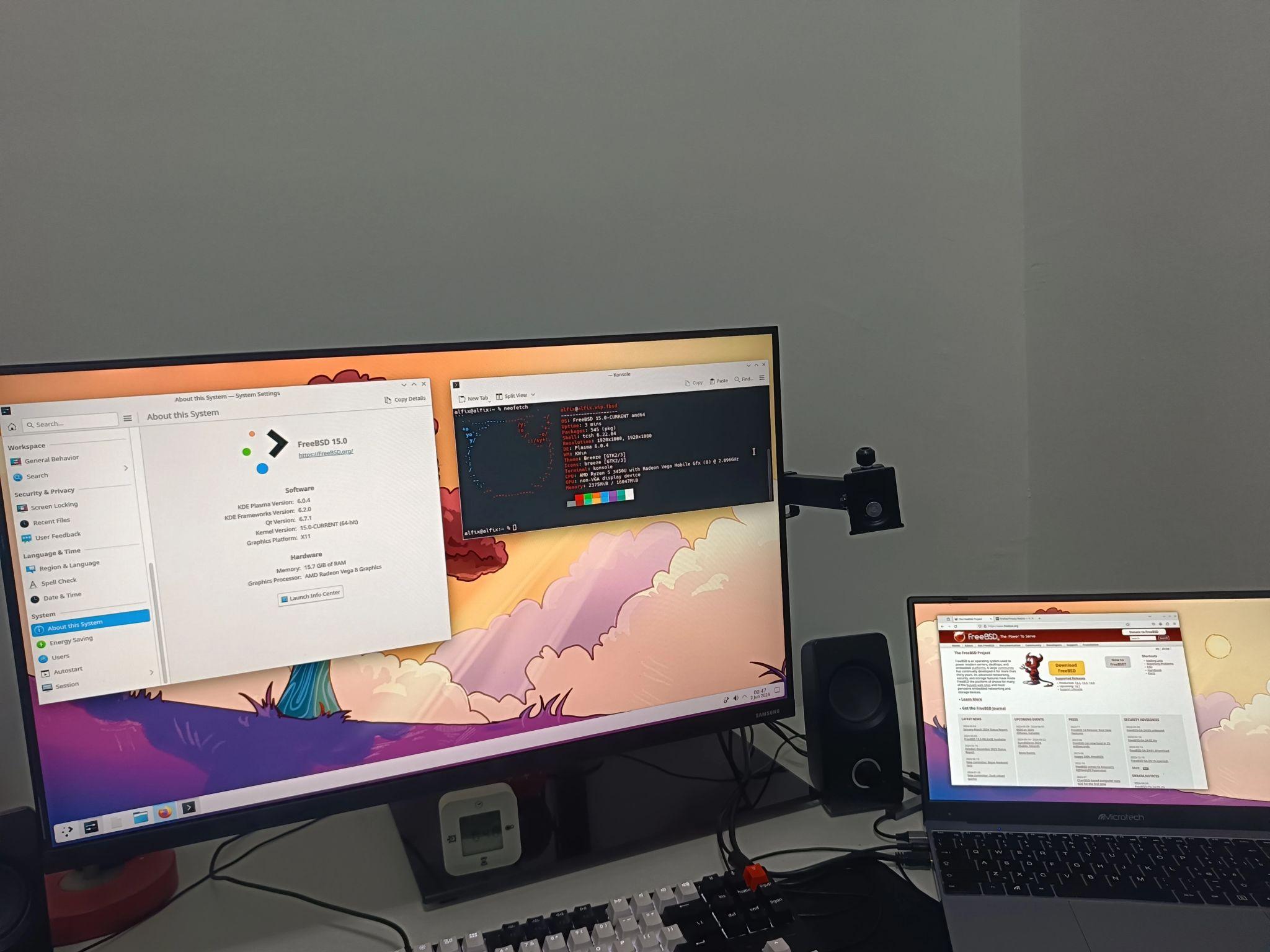
Desk setup with a large monitor and a laptop running FreeBSD with KDE Plasma. The main screen shows KDE system information and a terminal, while the laptop displays the FreeBSD website.
ALT text

Desk setup with a large monitor and a laptop running FreeBSD with KDE Plasma. The main screen shows KDE system information and a terminal, while the laptop displays the FreeBSD website.

@alfonsosiciliano@bsd.cafe

Call for testing for a script that installs on a desktop or laptop. Testing is aimed at users who already know FreeBSD, for example who can configure /etc/rc.conf and /boot/loader.conf.
I’m especially interested in feedback from people with NVIDIA GPUs, since I don’t have this hardware myself.

CFT GitHub: github.com/alfonsosiciliano/kd
CFT GitLab: gitlab.com/alfix/kde-installer
Discussion to figure out which packages to install and which configurations to use for GPUs (for example x11/nvidia-xconfig, linux_enable="YES", and so on): lists.freebsd.org/archives/fre

@FreeBSDFoundation

Desk setup with a large monitor and a laptop running FreeBSD with KDE Plasma. The main screen shows KDE system information and a terminal, while the laptop displays the FreeBSD website.
ALT text

Desk setup with a large monitor and a laptop running FreeBSD with KDE Plasma. The main screen shows KDE system information and a terminal, while the laptop displays the FreeBSD website.

@d1@autistics.life

@simontatham It's been a looong time since I used (I ran it in a "bottle", these came from , I'm using Debian 13 ). Thanks for all your efforts!

To my mind, 98% of the time, people would use putty to log into a box/VPS, like say a (Raspberry Pi OS, is Trixie 13-based). This would be a sensible default assumption, **demographically**.

It took a good 2 hours of struggling, just to get 256 colors to work in Putty! ('s textualize library seriously expects 256, or *it can crash* when the Theme is changed). Please let the defaults be sane, so there's no struggle for 256 colors! Please alleviate my nerd rage - I beseech you!

1) Sane TERM env var:
Connection -> Data -> Terminal details -> Terminal-type string -> "putty-256color"

2) Sane default font:
Window -> Appearance -> Font settings -> "Change" button -> adwaita mono 12

3) Sane bolding of text:
Window -> Colors -> General options for color usage -> Indicate bolded text by changing: The font

4) Sane (Linux-terminal-style) Ctrl + Shift + {C,V} (for copy and paste):
Window -> Selection -> Assign copy/paste actions to clipboard -> Ctrl + Shift + (C,V}: System Clipboard

In putty, TERM should be set to putty-256color
ALT text

In putty, TERM should be set to putty-256color

Putty font-setting screen
ALT text

Putty font-setting screen

Putty allows Copy and Paste as works in KDE Konsole: Ctrl + Shift + {C,V}
ALT text

Putty allows Copy and Paste as works in KDE Konsole: Ctrl + Shift + {C,V}

Putty won't bold text by default
ALT text

Putty won't bold text by default

@vtuberloreshrimp@v2br.social

Fedora KDE Plasma Desktop.

It's a deliberate choice I made. Not out of love for free software. Not out of mere ideology. Not out of great hatred towards Microsoft.

I simply did it out of the severe clash between the RAM shortage and the abhorrent RAM consumption of Windows 11.

And thus, Linux girth be damned, this is my new home.

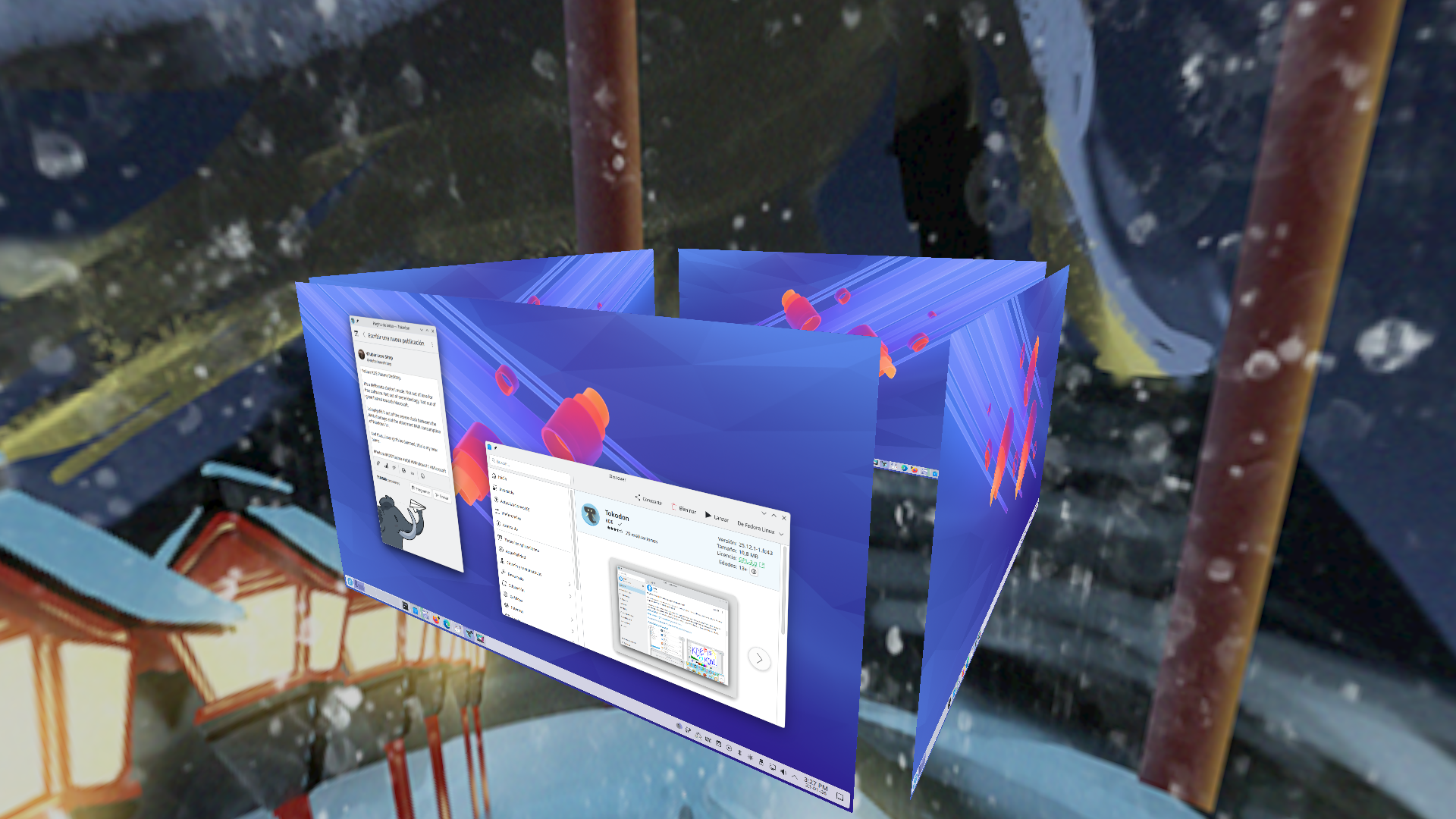
A view of the KDE Plasma Cube with 4 virtual desktops. No windows are open on the other three desktops visible on the cube, but the main one has a window open with Tokodon and KDE Discover.
ALT text

A view of the KDE Plasma Cube with 4 virtual desktops. No windows are open on the other three desktops visible on the cube, but the main one has a window open with Tokodon and KDE Discover.

@agowa338@chaos.social

Uhm what?!? My Shell just crashed without any error message.

the taskbar is gone. The background is gone. All applications still open. No error message.

What happened?!?

Also is there a way to restart it without having to close all of the applications?

@hardtech@corteximplant.com

:linux:
Dear users friends, I need your help.
À week ago, I've installed with and when I want to shutdown I used the classic way (start menu -> shutdown) and the systemd command. But everytime, the computer is not really off, there is still a fan turning somewhere, the computer make the noise as if it was silently working. At the end I'm forced to turn off the electricity.
Any clue?

EDIT: I may have found something. I used to keep a USB key plugged in my computer. Yesterday I removed it and shut the computer off with the classic way (start menu -> shutdown) and... Completely off, no noise, silent.

:opensuse: :plasma: @opensuse @kde

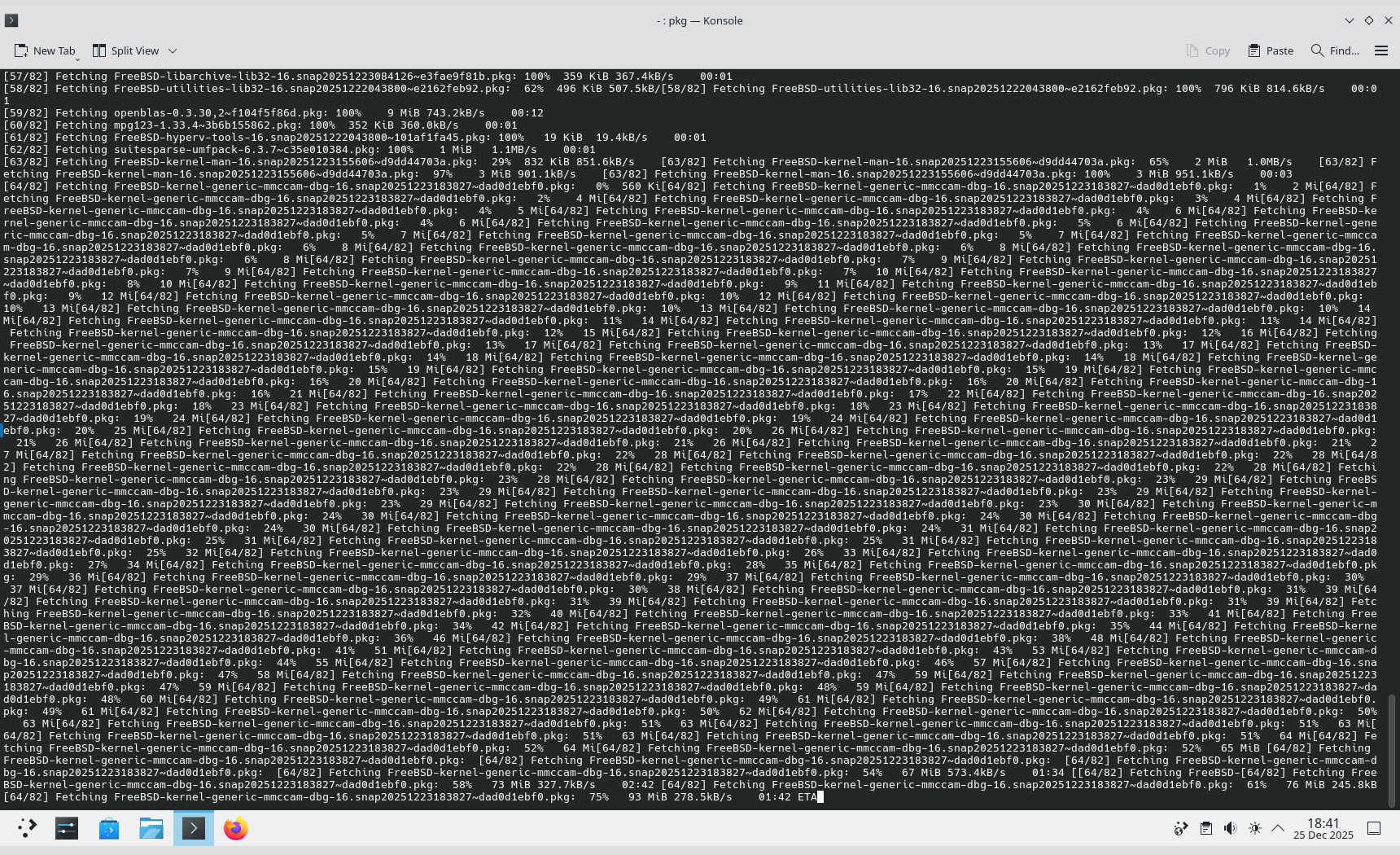
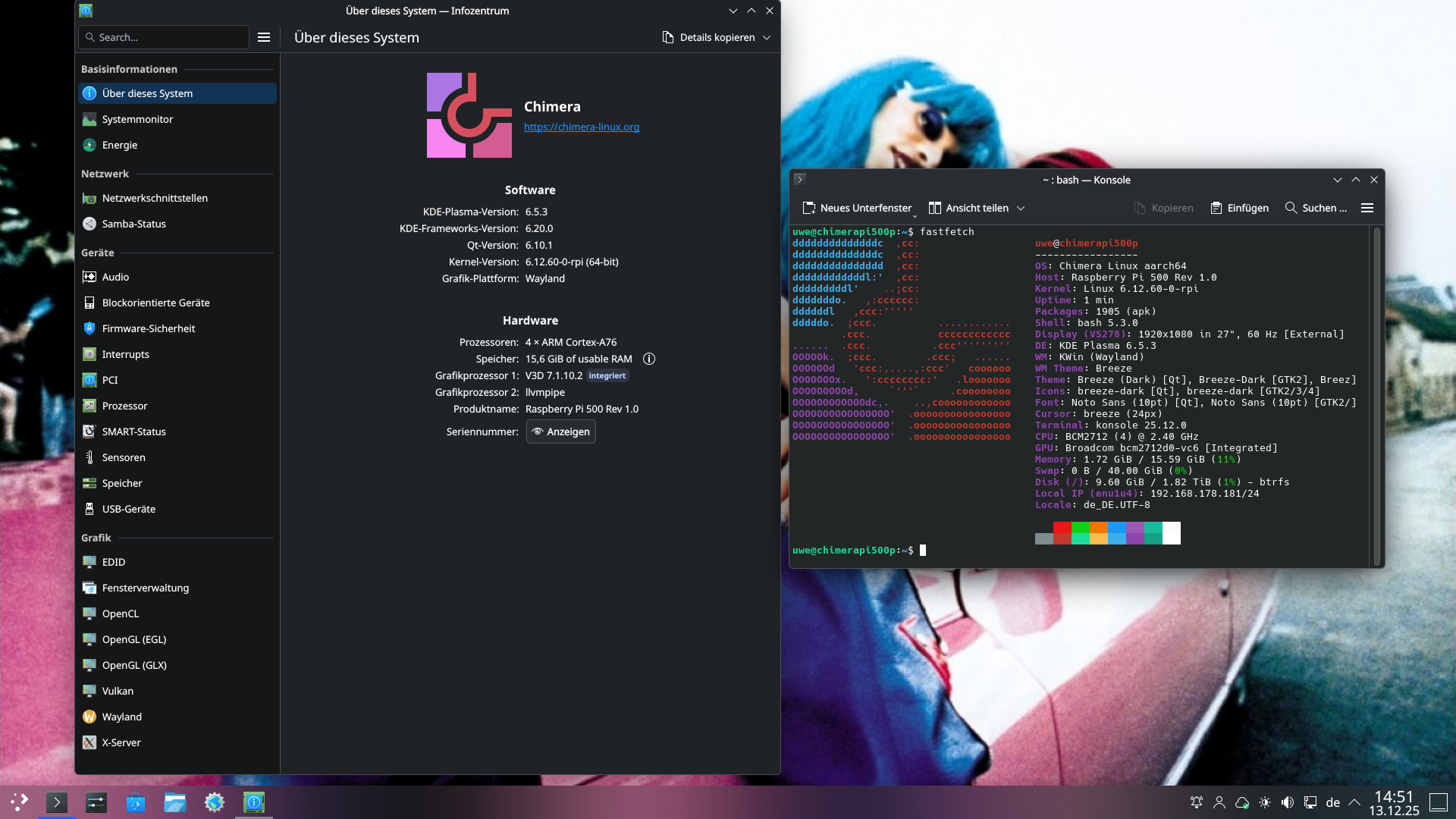
Got some time today and finished the initial setup of the Raspberry Pi 500+

It's running KDE Plasma 6.5.3 on Chimera Linux, Kernel Version 6.12.60-0-rpi

It always impresses me how much snapier Chimera feels on a Pi compared to Raspberry Pi OS (Debian Trixie)

In case anyone wants to try a similar setup (ROOT on btrfs, SWAP partition, ZSWAP, KDE) to mine I posted a thread how I did it a while ago

tech.lgbt/@TheOneDoc/114025829

and here's the fix for the SDDM hickup mentioned in there

tech.lgbt/@TheOneDoc/114049037

Screenshot of my KDE Plasma Desktop showing 2 windows one with the KDE About the System, the other one a console with the output of fastfetch running on a Raspberry Pi 500 Plus with Chimera Linux
ALT text

Screenshot of my KDE Plasma Desktop showing 2 windows one with the KDE About the System, the other one a console with the output of fastfetch running on a Raspberry Pi 500 Plus with Chimera Linux

@flore@tutut.delire.party

J'ai acheté il y a presque 20 ans (en tout cas avant 2008) une tablette graphique sapphire 3, je ne m'en suis pas servie tant que ça et elle dort dans le tiroir de mon bureau. je l'ai revue aujourd'hui et je me suis dit "Et si ?". Je la branche sur mon ordi, elle est reconnue immédiatement par 43 et . J'ai lancé , ça marche parfaitement.. Je connais une adoe qui va recevoir à une tablette graphique plus vieille qu'elle. Je lui montrerai les tutos de @davidrevoy

@w8l@scalie.zone

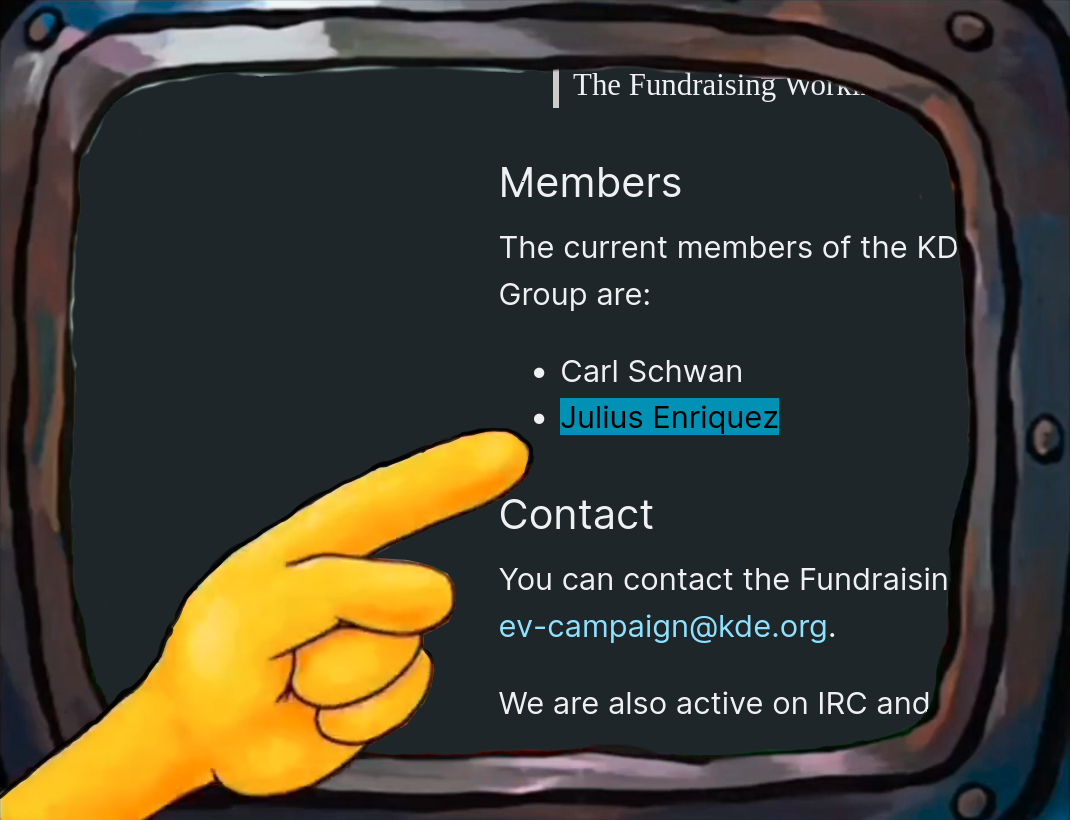
I have been a member of KDE e.V. since late 2024. And as of now, also a part of the Fundraising WG!

Keep a close eye on the FuWG page for at least a day after this post, as someone else might be joining there soon too...

A yellow hand points to a metal TV showing the KDE Fundraising Working Group, with the name "Julius Enriquez" highlighted in blue below Carl Schwan.
ALT text

A yellow hand points to a metal TV showing the KDE Fundraising Working Group, with the name "Julius Enriquez" highlighted in blue below Carl Schwan.

@Dendrobatus_Azureus@bsd.cafe · Reply to Dendrobatus Azureus

I've been able to configure KDE to my liking so that I feel at home again in the K Desktop Environment.

This is critical because it means that everything from way back in the beginning, decades ago when KDE was released, is still in the current new and fresh version of the K Desktop Environment

It means that the teams which have worked on KDE for the past decades have kept the core of KDE alive

It means that we have an excellent group of programmers, before and current, who have worked on KDE and who have kept KDE beautiful fantastic and magnifique for a wide range of people all over the globe

@kde

 The photograph composed in total darkness shows an IPS LED computer screen displaying the K Desktop Environment with a dark blue theme. The screen is divided into two main sections: the top section shows a settings menu with various options such as "Audio and Sound," "Display and Monitor," "Input Devices," "Hardware and Devices," "Network," "Settings," "Connections," "User Feedback," "Online Accounts," "Accessibility," "Region and Language," "Notifications," "Personalization," "Search and Shutdown," "Shortcuts and Startup," "Workspace Behavior," and "Appearance." The bottom section features a wallpaper of a gorgeous woman standing in a room with a wooden floor and a window in the background. The woman is wearing a white top and a black skirt with a lace pattern, and she is smiling. The screen also shows a sidebar with options like "General," "Global Themes," "Connections," "Appearance Style," and "User Style." The time displayed on the screen is 22:38, and the date is the 15th of May. The overall image is in subtle Bokeh, because of the translucent effect programmed in KDE
The screen is surrounded by a dark background, and has been captured with a puny Android analogue sensor smaller than the tip of my Pinky nail

 Ovis2-8B

🌱 Energy used: 0.264 Wh
ALT text

The photograph composed in total darkness shows an IPS LED computer screen displaying the K Desktop Environment with a dark blue theme. The screen is divided into two main sections: the top section shows a settings menu with various options such as "Audio and Sound," "Display and Monitor," "Input Devices," "Hardware and Devices," "Network," "Settings," "Connections," "User Feedback," "Online Accounts," "Accessibility," "Region and Language," "Notifications," "Personalization," "Search and Shutdown," "Shortcuts and Startup," "Workspace Behavior," and "Appearance." The bottom section features a wallpaper of a gorgeous woman standing in a room with a wooden floor and a window in the background. The woman is wearing a white top and a black skirt with a lace pattern, and she is smiling. The screen also shows a sidebar with options like "General," "Global Themes," "Connections," "Appearance Style," and "User Style." The time displayed on the screen is 22:38, and the date is the 15th of May. The overall image is in subtle Bokeh, because of the translucent effect programmed in KDE The screen is surrounded by a dark background, and has been captured with a puny Android analogue sensor smaller than the tip of my Pinky nail Ovis2-8B 🌱 Energy used: 0.264 Wh

@Dendrobatus_Azureus@bsd.cafe · Reply to Dendrobatus Azureus

The KDE team has created a wonderful Network for your Androids it's called Konnect (actually KDE Connect) and the things that it can do are so various that I'll just show you one of them in the included photographs

The ease with which I can control a music 🎵 player that works on one Android from all my devices which run Konnect opens up possibilities which are just marvelous for a sound engineer like me

@kde

The image shows a mobile device screen displaying Konnect "KDE Connect Devices" interface. The background is dark, and the text is white, providing a clear contrast. At the top, the time is shown as 23:06, with various status icons indicating Bluetooth, Wi-Fi, and battery level at 84%. The main title "KDE Connect Devices" is prominently displayed, followed by a message stating that other devices running KDE Connect in the same network should appear here.

Below this, there is a section titled "Connected devices," listing four devices: "SM-A260G," "Xiaomi Redmi A2 Blakka," "Galaxy A2 Core Lucã," and "Krasiwati," each accompanied by a device icon. The "Remembered devices" section follows, listing three devices: "Devakprata," "Xiaomi Note 12S," and "Polawiri," each with a corresponding icon. The interface is designed for easy navigation, with a menu icon on the left and a back arrow on the right, indicating the ability to return to the previous screen.

 Ovis2-8B

🌱 Energy used: 0.264 Wh
ALT text

The image shows a mobile device screen displaying Konnect "KDE Connect Devices" interface. The background is dark, and the text is white, providing a clear contrast. At the top, the time is shown as 23:06, with various status icons indicating Bluetooth, Wi-Fi, and battery level at 84%. The main title "KDE Connect Devices" is prominently displayed, followed by a message stating that other devices running KDE Connect in the same network should appear here. Below this, there is a section titled "Connected devices," listing four devices: "SM-A260G," "Xiaomi Redmi A2 Blakka," "Galaxy A2 Core Lucã," and "Krasiwati," each accompanied by a device icon. The "Remembered devices" section follows, listing three devices: "Devakprata," "Xiaomi Note 12S," and "Polawiri," each with a corresponding icon. The interface is designed for easy navigation, with a menu icon on the left and a back arrow on the right, indicating the ability to return to the previous screen. Ovis2-8B 🌱 Energy used: 0.264 Wh

 The photograph composed in warm light portrays two smartphones placed on a red fabric with a floral pattern. The phone on the left has a lock screen displaying the time "23:05" and the date "Tue, Apr 29." The background features a vibrant image of a red flower with green leaves. The phone is charging, with a battery level of 82%. A music player widget is visible, showing the song "13_18_21_aug_2021_19Lyntr" by "RadioAzureus (Musicolet)" with a play button and a progress bar. A notification from Mastodon is also visible, mentioning the user by Luca Sironi.

The phone on the right shows a similar time "23:05" and date "Tue, Apr 29." The background is dark blue, and the music player widget displays the same song and artist. The weather widget shows "26°C MonPlaisir" with "Clear" conditions. The battery level is also 82%, and the phone is connected to "GSM provider." Both phones are displaying the same time, indicating they are synchronized. The Android on the right is in slight Bokeh due to the shallow DOF because of the wide aparture 

 Ovis2-8B

🌱 Energy used: 0.266 Wh
ALT text

The photograph composed in warm light portrays two smartphones placed on a red fabric with a floral pattern. The phone on the left has a lock screen displaying the time "23:05" and the date "Tue, Apr 29." The background features a vibrant image of a red flower with green leaves. The phone is charging, with a battery level of 82%. A music player widget is visible, showing the song "13_18_21_aug_2021_19Lyntr" by "RadioAzureus (Musicolet)" with a play button and a progress bar. A notification from Mastodon is also visible, mentioning the user by Luca Sironi. The phone on the right shows a similar time "23:05" and date "Tue, Apr 29." The background is dark blue, and the music player widget displays the same song and artist. The weather widget shows "26°C MonPlaisir" with "Clear" conditions. The battery level is also 82%, and the phone is connected to "GSM provider." Both phones are displaying the same time, indicating they are synchronized. The Android on the right is in slight Bokeh due to the shallow DOF because of the wide aparture Ovis2-8B 🌱 Energy used: 0.266 Wh

@Dendrobatus_Azureus@bsd.cafe

KDE keyboard shortcut note:

Goto

system settings > shortcuts > kwin

Check out the actions which can be bound to keyboard shortcuts.

The screencap shows a screenshot of the "Shortcuts" settings in the system settings kwin application, likely from a KDE-based Linux distribution. The left sidebar is labeled "Shortcuts" and includes options such as "Applications," "System Settings," and "Custom Shortcuts." The main area displays a list of shortcuts, with the "Switch to Desktop" shortcuts highlighted. These shortcuts are labeled from 1 to 17, 18 to 20 are not visible
There are corresponding key combinations like "Ctrl+Shift+F1" for Desktop 1 and "Ctrl+Alt+Shift+F5" for Desktop 17. The "KWin" section is also visible, indicating the window manager being used. The interface has a dark theme, and the "Apply" button is visible at the bottom right.

Ovis2-8B

🌱 Energy used: 0.168 Wh
ALT text

The screencap shows a screenshot of the "Shortcuts" settings in the system settings kwin application, likely from a KDE-based Linux distribution. The left sidebar is labeled "Shortcuts" and includes options such as "Applications," "System Settings," and "Custom Shortcuts." The main area displays a list of shortcuts, with the "Switch to Desktop" shortcuts highlighted. These shortcuts are labeled from 1 to 17, 18 to 20 are not visible There are corresponding key combinations like "Ctrl+Shift+F1" for Desktop 1 and "Ctrl+Alt+Shift+F5" for Desktop 17. The "KWin" section is also visible, indicating the window manager being used. The interface has a dark theme, and the "Apply" button is visible at the bottom right. Ovis2-8B 🌱 Energy used: 0.168 Wh

@fell@ma.fellr.net

I built a latency meter with an Arduino and a photo transistor to answer one question: Is click-to-photon latency higher on Wayland than on X11?

And the answer is: Yes, actually.

⏱️ 42 ms on X11, compositing off
⏱️ 56 ms on X11, compositing on
⏱️ 64 ms on Wayland
⏱️ 71 ms on Windows 10

Tested with Plasma 6.3.4 and Firefox 137. I will improve my methods and confirm these numbers. See replies for details.

@DavidMarzalC@masto.es

Nueva lista importable de cuentas en el añadida al recopilatorio ordenado por temáticas e inspirado por @vamonosjuntas

En esta ocasión sumamos:
Hardware abierto o compatible con Linux + Software de diseño de HW ....
+ + + -> (25)

La lista empieza con las siguientes cuentas:
@slimbook @tuxdevices @frameworkcomputer @WeAreFairphone @arduino @mntmn @kicad @Obijuan @phoronix @PINE64 @e_mydata
@murena @LineageOS @pipewire @gpuopen
@calyxos @oshwassociation @salvari @collabora @fsi @vantpc @samuelig
@openandroidinstaller @n0p @edu

marzal.gitlab.io/mundolibre/bl

Y las que ya teníamos:
· y en Español -> (98)
· -> (23 cuentas)
· + -> (42)
· + + -> (50)
· + / -> (125)
· + -> (14)
· + + + -> (55)
· -> (19)
· El listado original que no va con listas -> (308)

+ Otros listados 4 de /

Disfrutad de las redes libres y de nuestros espacios seguros.

PD: Se agradecen recomendaciones y recordatorio de que se pueden re-importar las listas para seguir a las cuentas que se van incorporando o ver los cambios via los enlaces de la web.

marzal.gitlab.io

El Fediverso es divertido

Starter Pack para el Fediverso

@pixelnull@infosec.exchange

redoing my , spring cleaning my profile

i am a total shitposter. i work in infosec (blue team), but don't follow me for good infosec information. just don't.

i like weird people... the communists and anarchists. the black sheep. the loners, outcasts, wallflowers, bizarros, rejects, outsiders, odd ducks, and the eccentric ones.

the broken. the lost. the lonely. the people who look in the mirror and can't see a beautiful person looking back.

the freaks, geeks, weirdos, goths, emos, punks, lovers with aching hearts, poets who don't know it, the elder gods/goddesses/others/cubes, nerds who love assembly, nerds who love obscure CSS, people who used to be carnies, people who want to be carnies, clown school dropouts, quiet librarians, midnight philosophers, chaotic good bartenders, D&D forever-DMs, speedrunners of life, cursed doll collectors, people who unironically love dial-up sounds, cassette tape hoarders, writers of unsent letters, DIY necromancers, time travelers stuck in the wrong timeline, indie game devs with imposter syndrome, hopeless romantics with a cynical streak, travelers of the astral plane, meme historians, collectors of lost media, aesthetic hoarders, souls lost in liminal spaces, thrift store treasure hunters, broken synthesizer enthusiasts, conspiracy theorists who know too much, introverts who overshare online, VHS romantics, late-night train station wanderers, noise music aficionados, digital ghost hunters, hopeless maximalists, cursed artifact restorers, wandering bards, and rogue rouge enthusiasts (people who dabble in makeup with chaotic flair, applying blush with the reckless abandon of a true artist).

And not least, the people who never quite fit in anywhere, but somehow fit in everywhere.

...you know, my people. 🖤

i'm looking for people that are cool with sharing misery most of the time, but do rarely dabble in the dark art of being fun. follow me if that's the case, or you know, don't.

you do you.

i do usually follow active accounts back, but if you don't post original posts... i don't typically follow. give me content plz.

🕵 (SIEM-SOAR-IR-RE)
:ancom:
/ zealot (Not CoS or TST) 🜏

DIYer (EEn) 💉
freak :blacker_heart_outline:
🏳️‍🌈 / militant 🏳️‍⚧️
always ✊🏿
is key ​♿
fanatic :manjaro:
nut :kde:
lover :python:
hoarder 🏴‍☠️​
crank :lain: :heart_cyber:
of many stripes, mostly and 🎶

@Tionisla@bsd.cafe

Old: Zaonce - Dell Inspiron 1525 running OpenBSD 7.6 with Plasma 6.

Kudos to Rafael Sadowski @sizeofvoid et al for their great work of porting Plasma5/6.

Screenshot of OpenBSD 7.6 running Plasma 6 on an old DELL Inspiron 1525

There's a default panel with an application launcher, a systray, clock and date and show desktop, along with some pinned apps an the left hand side of the screen.

A konsole window showing neofetch  stats and an Ascii Art Puffy - the Pufferfish OpenBSD mascott on the upper right corner of the screen.
ALT text

Screenshot of OpenBSD 7.6 running Plasma 6 on an old DELL Inspiron 1525 There's a default panel with an application launcher, a systray, clock and date and show desktop, along with some pinned apps an the left hand side of the screen. A konsole window showing neofetch stats and an Ascii Art Puffy - the Pufferfish OpenBSD mascott on the upper right corner of the screen.

@w8l@scalie.zone · Reply to Jules Enriquez
Dolphin, Kate, and Elisa running with the Nostrum global theme with its bright orange accent colour, dark purple window background, and rainbow strip titlebars
ALT text

Dolphin, Kate, and Elisa running with the Nostrum global theme with its bright orange accent colour, dark purple window background, and rainbow strip titlebars

Konsole and Plasma System Monitor running with the Graphite global theme series (Light, Dark, Nord Light, Nord Dark) in a four-way split
ALT text

Konsole and Plasma System Monitor running with the Graphite global theme series (Light, Dark, Nord Light, Nord Dark) in a four-way split

Haruna and Dolphin running with the Shades of Purple global theme, with its neon yellow accent colour and deep purples throughout the theme
ALT text

Haruna and Dolphin running with the Shades of Purple global theme, with its neon yellow accent colour and deep purples throughout the theme

Elisa and Konsole running with the Commonality theme series (regular and Sol), in a two-way split image
ALT text

Elisa and Konsole running with the Commonality theme series (regular and Sol), in a two-way split image

@DrewNaylor@mastodon.online

I'm going to update the Diamond theme for so that it can work better on KDE6, as it's my favorite theme and has a few issues on , mainly in the notifications. The project also doubles as an archival for this version, as I can't find everything in it consistently anywhere, and you can download it here:

codeberg.org/DrewNaylor/Diamon

(well not anymore)

codeberg.org

Cookie monster!

@aks@scalie.zone

Im Aks/Akselmo/Akseli, and im a nonbinary dude from Finland. My native language has no gendered pronouns so anything goes.

I am not a new fedi user at all, I used to have my self-hosted instance but opted to just buy one hosted by fedi.monster.

I am a enjoyer. My dayjob is working on and I want to help make linux the most accessible gaming and desktop platform!

I also make games for fun and less-profit. Currently working on FOSS FPS, Artificial Rage: codeberg.org/akselmo/artificia

You can find more of my games here: akselmo.itch.io/

I play a lot of FPS games and RPG's, both old and new. Xonotic, Morrowind and Quake are my favorites.

I tend to be very... passionate about FOSS and privacy when it comes to technology we use in our lives. But hopefully i do not seem like a zealot. Nuance in everything.
Anyhow, hello all from this tiny instance!

glhf!

Edit: Finnish edition scalie.zone/@aks/1138680619242

@noracodes@tenforward.social

I guess I should do a proper for the tag. Hi!

I'm Nora. I'm in my twenties. I'm a software engineer, and I write about programming and tabletop RPGs on my website, nora.codes/. I use on the desktop full time, and run a bunch of Lenovo ThinkCenter Tiny servers on in my .

I'm queer, trans, and have a variety of "mind problems", including and . I am a success story for cognitive behavioral therapy, but I oppose its use in most cases; ask me about it!

In my spare time I program, make electronic music, and do my best to support organizing efforts in my community. I love , , low-tech computing and , and computer history.

I'm also a witch and a pagan; I write more about that elsewhere.

nora.codes

Leonora Tindall | Nora Codes